# Updates (WSUS)

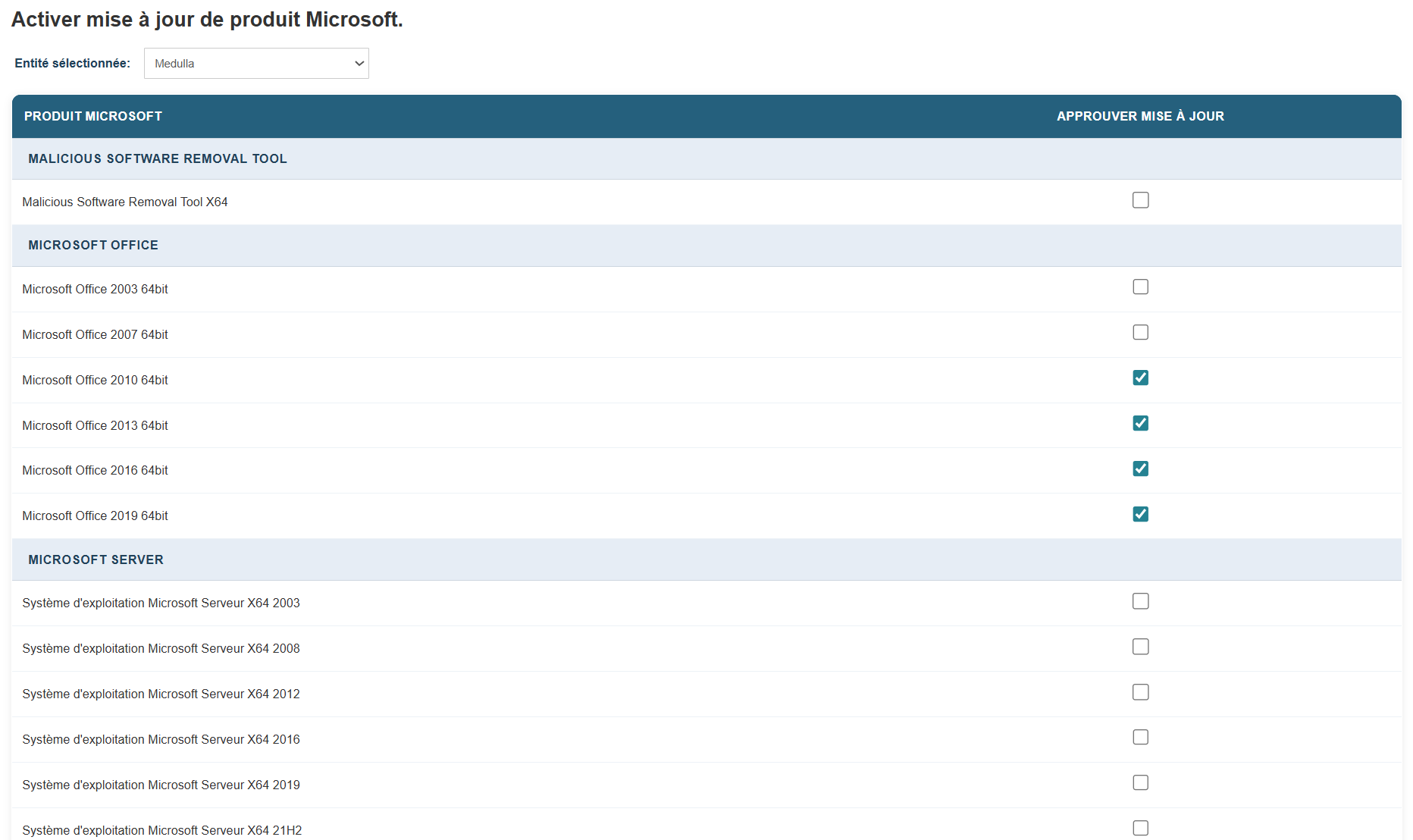
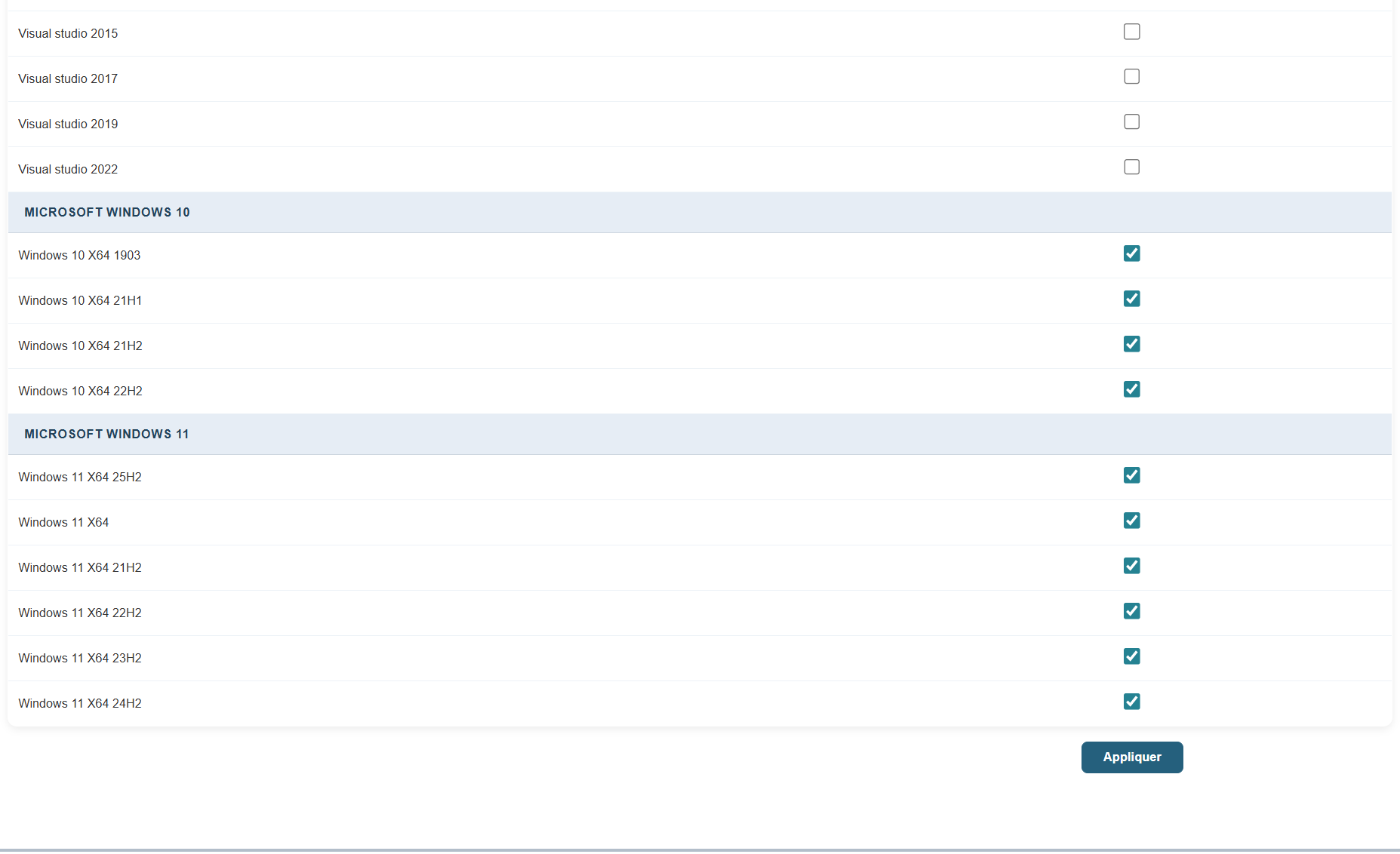
<span style="font-size:10pt;">Select the types of updates you want: </span>

<span style="font-size:10pt;"> </span>

[![image.png](https://docs.medulla-tech.io/uploads/images/gallery/2026-03/scaled-1680-/KzqmMhPtfjheyL0q-image.png)](https://docs.medulla-tech.io/uploads/images/gallery/2026-03/KzqmMhPtfjheyL0q-image.png)

<span style="font-size:10pt;">  
</span>

<span style="font-size:10pt;"> </span>

[![image.png](https://docs.medulla-tech.io/uploads/images/gallery/2026-03/scaled-1680-/OrTMfYYVHFCiXD0Z-image.png)](https://docs.medulla-tech.io/uploads/images/gallery/2026-03/OrTMfYYVHFCiXD0Z-image.png)

<span style="font-size:10pt;">  
</span>

<span style="font-size:10pt;"> </span><span style="font-size:10pt;">Click the corresponding checkbox and the Apply button.</span>

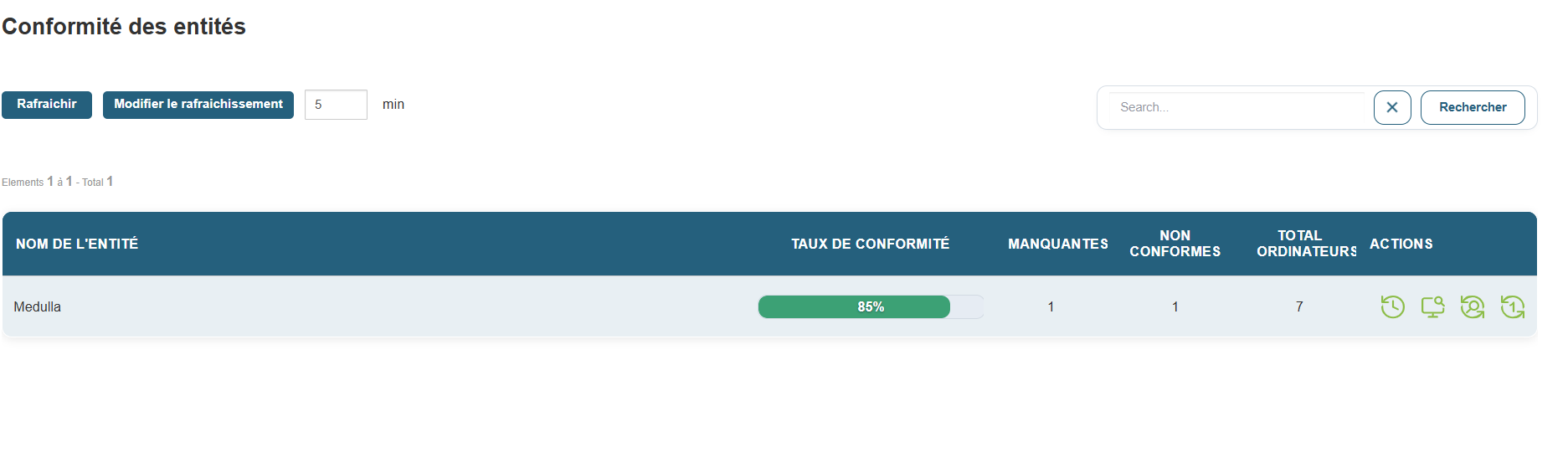
<span style="font-size:10pt;"> </span><span style="font-size:10pt;">Once in the Update module, you should see all your Entities under "Entity Compliance." You can also view compliance by group by switching to the Group view.</span>

[![image.png](https://docs.medulla-tech.io/uploads/images/gallery/2026-03/scaled-1680-/rxeNNabt1xIt50Wg-image.png)](https://docs.medulla-tech.io/uploads/images/gallery/2026-03/rxeNNabt1xIt50Wg-image.png)

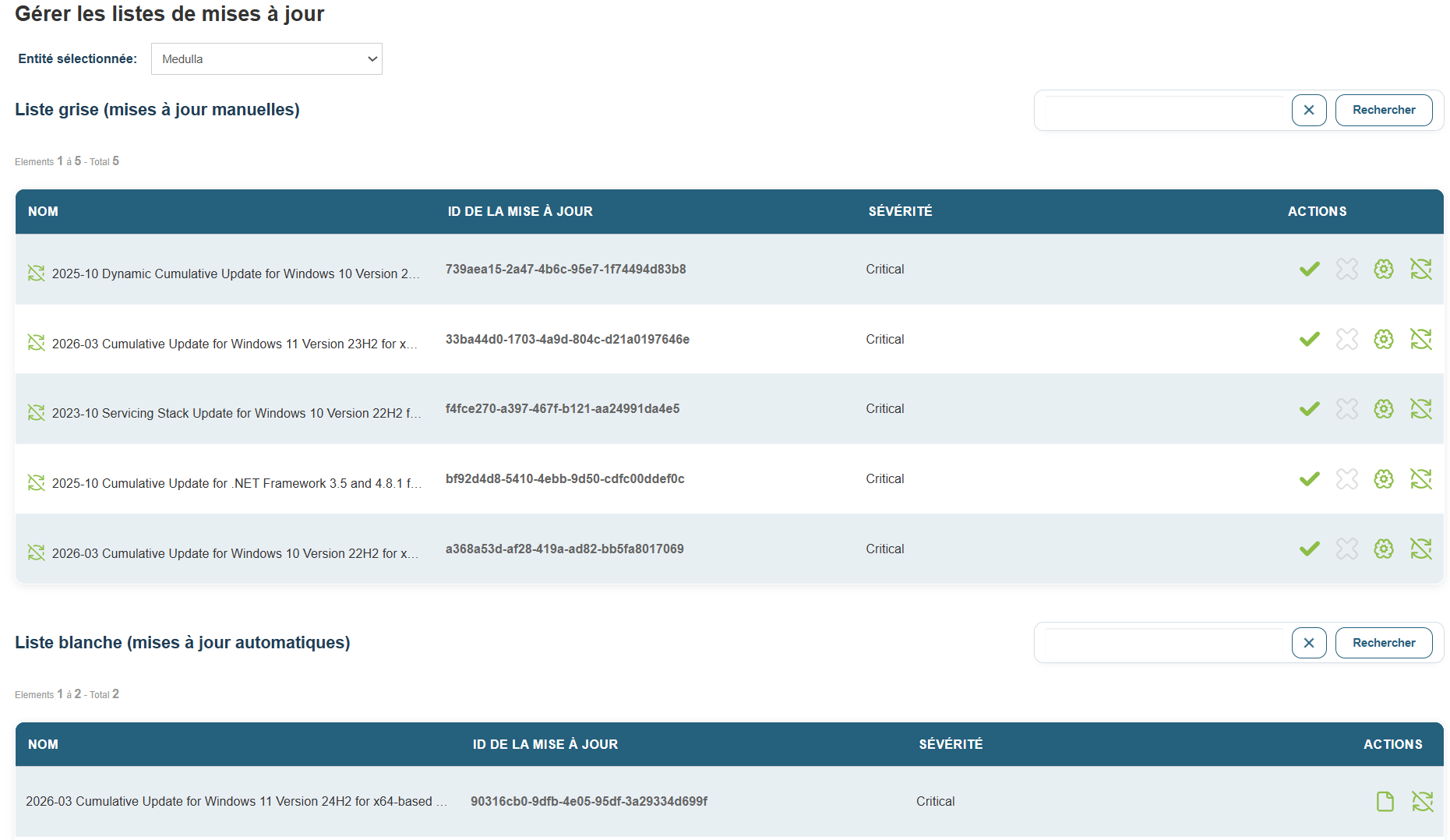
<span style="font-size:10pt;"> </span><span style="font-size:10pt;">In "Manage Update Lists," you should see the missing updates for all machines in the fleet that meet the criteria.</span>

<span style="font-size:10pt;">All updates are placed in the "Grey list" by default.</span>

[![image.png](https://docs.medulla-tech.io/uploads/images/gallery/2026-03/scaled-1680-/ZLz2xxIH9tlyn4Rz-image.png)](https://docs.medulla-tech.io/uploads/images/gallery/2026-03/ZLz2xxIH9tlyn4Rz-image.png)

<span>  
</span>

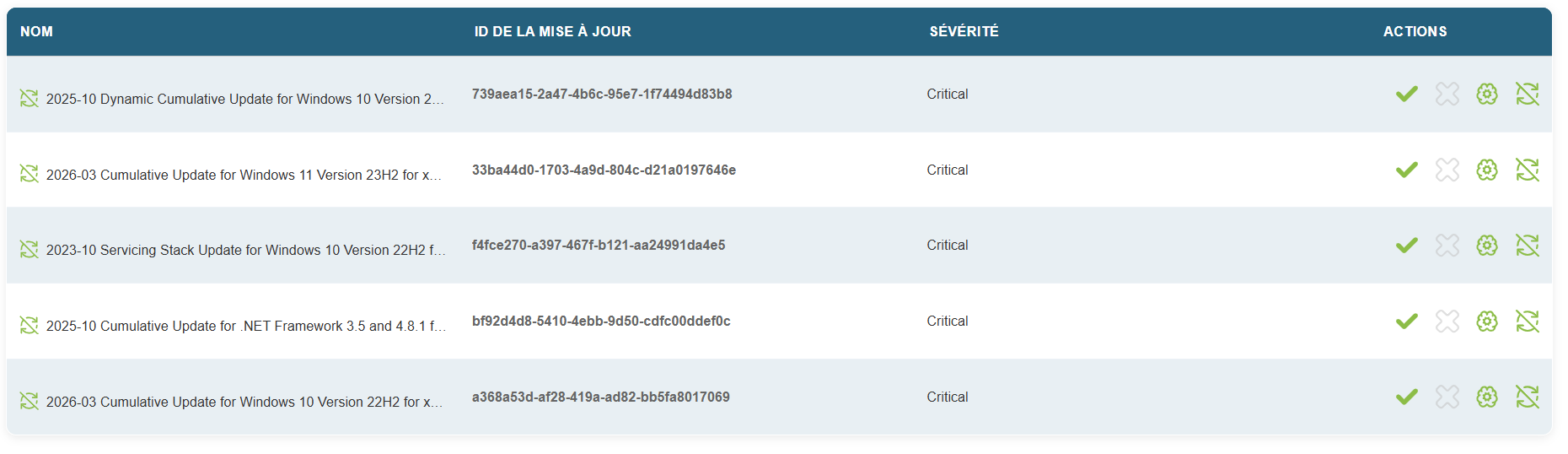
<span style="font-size:10pt;">Confirm the desired updates </span>

[![image.png](https://docs.medulla-tech.io/uploads/images/gallery/2026-03/scaled-1680-/ISxBMOV5XKR1y3hV-image.png)](https://docs.medulla-tech.io/uploads/images/gallery/2026-03/ISxBMOV5XKR1y3hV-image.png)

<span style="font-size:10pt;">  
</span>

<span style="font-size:10pt;"> </span>

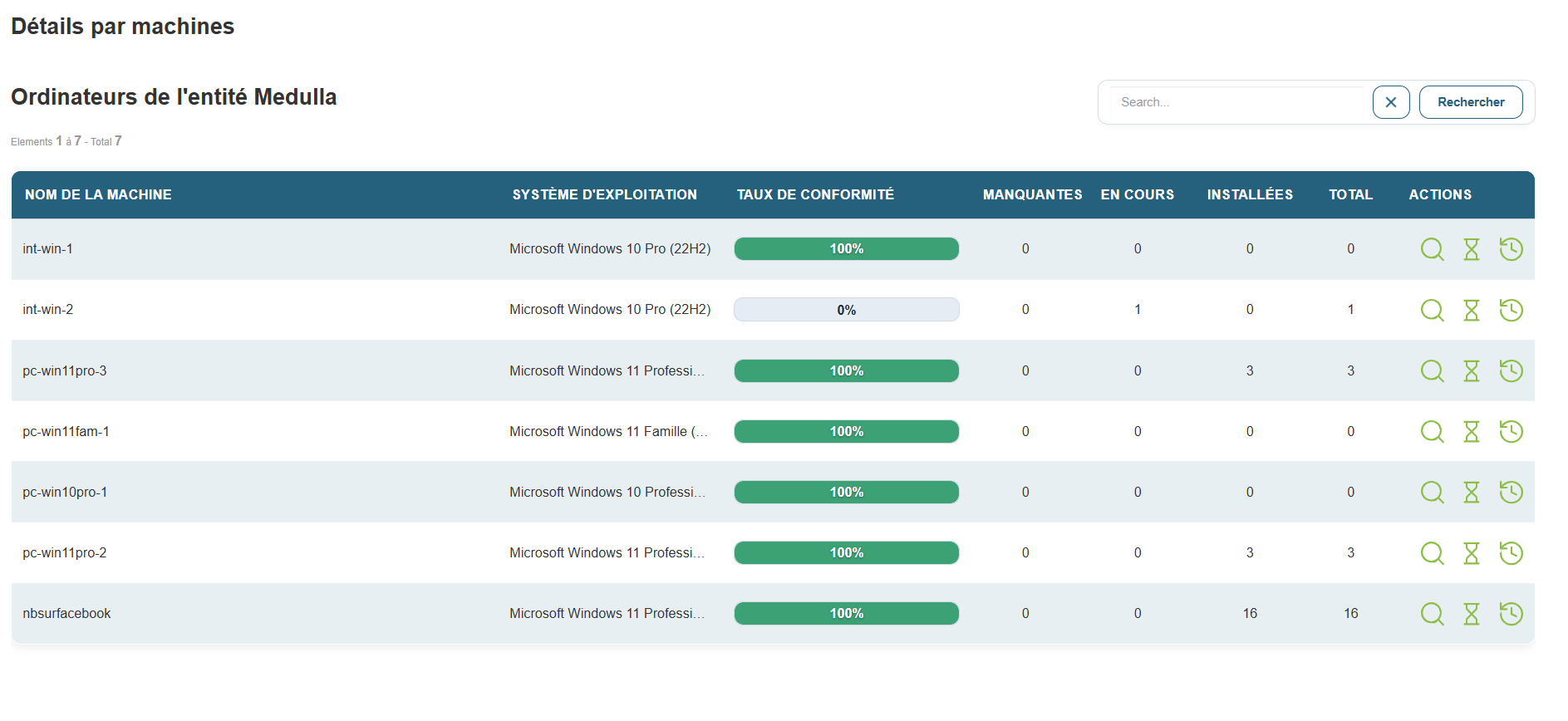
<span style="font-size:10pt;">Then locate the missing updates in the details view for each machine.</span>

<span style="font-size:10pt;"> </span>

[![image.png](https://docs.medulla-tech.io/uploads/images/gallery/2026-03/scaled-1680-/39ZrjOLWHzSGWUdn-image.png)](https://docs.medulla-tech.io/uploads/images/gallery/2026-03/39ZrjOLWHzSGWUdn-image.png)

<span>  
</span>

<span>Click the magnifying glass icon labeled "Details" on a machine, then click the "Deploy this update" icon.</span>

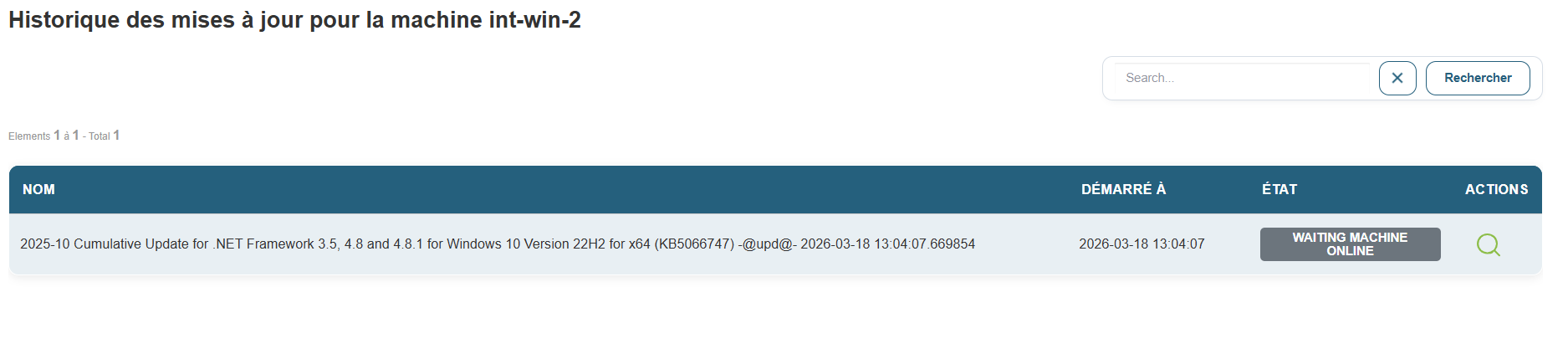
<span>A few seconds later, you’ll see the update audit in the “Audit” view.</span>

[![image.png](https://docs.medulla-tech.io/uploads/images/gallery/2026-03/scaled-1680-/DTOrBel0FIJNzXaP-image.png)](https://docs.medulla-tech.io/uploads/images/gallery/2026-03/DTOrBel0FIJNzXaP-image.png)

<span>  
</span>

<span style="font-size:10pt;"> </span>

<span>  
</span>

<span style="font-size:10pt;"> </span>

<span style="font-size:10pt;"> </span>

<span style="font-size:10pt;"></span>