Section 5: Administration
Administrator access

How to access the admin module?
You can access the admin module by clicking on the icon that represents a drive to the right of the menu or at the bottom of the menu bar always to the right by clicking on the "Click to go to expert mode" link.
What is the Administration module for?
The Administration module allows admin users to manage the Medulla system's advanced settings. It brings together the tools needed to configure the system and customize the application.

For more information, visit our website :www.medulla.fr
General parameters
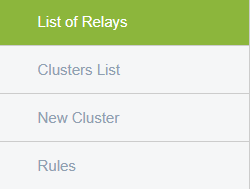
The administration interface consists of the following to manage various parameters:
- List of Relays
- Cluster List
- New Cluster
- Rules
List of Relays
contains the list of relays currently configured in the system, relay (or relay) is an intermediate component that allows for the transit of XMPP messages between different servers or clusters. The list of relays contains various information (name of relay, identifier, type of relay: public or private..etc). This helps us see which relays are in place, and allows us to control or diagnose these components.

A Cluster is a set of servers so the Cluster List displays the list of server sets and contains information about these groups (name, descriptions, associated relays or actions). This allows us to better organize the network structure and manage communications between servers.

New Cluster
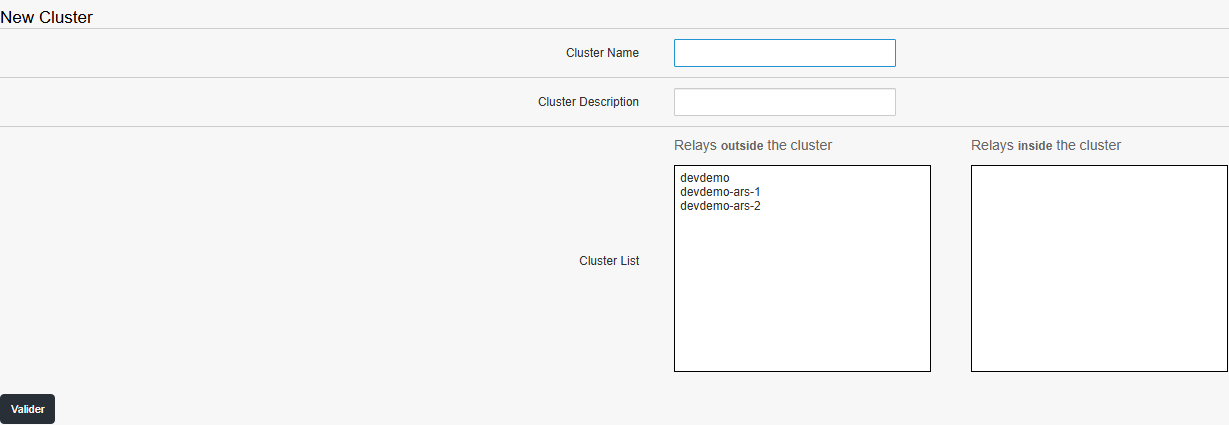
allows to create a new cluster by telling its name, description and relays that are internal or external to the cluster.
Rules
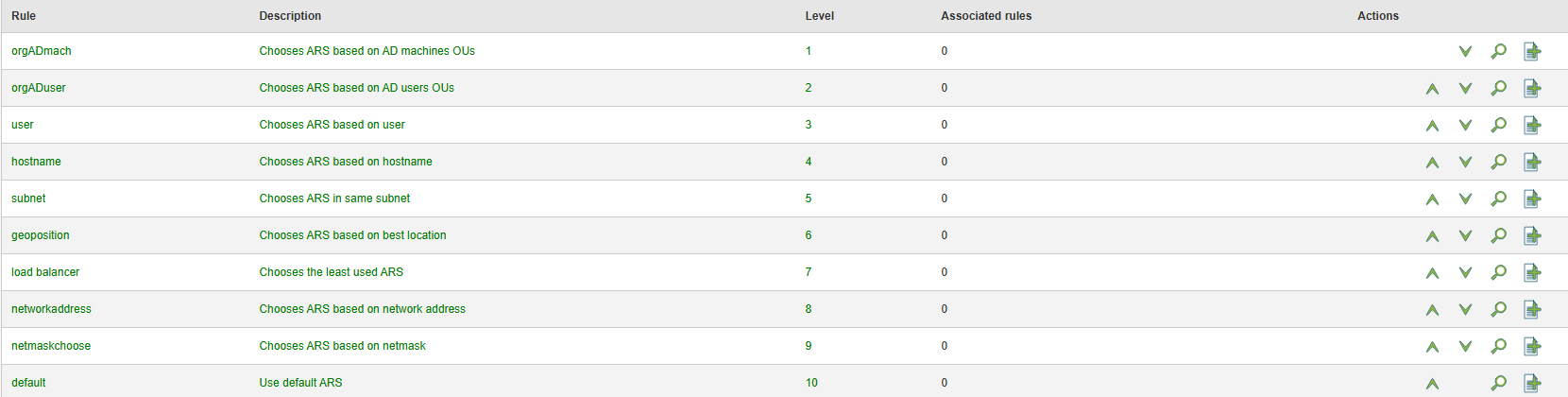
is the option to choose which relays will be used, the priority level of the rule as well as dependencies between them & section also allows to create new rules.