# How to log in to Medulla
To access Medulla’s features, you must log in with your credentials. This step ensures the security of your data and personalized access.
### Login Steps
[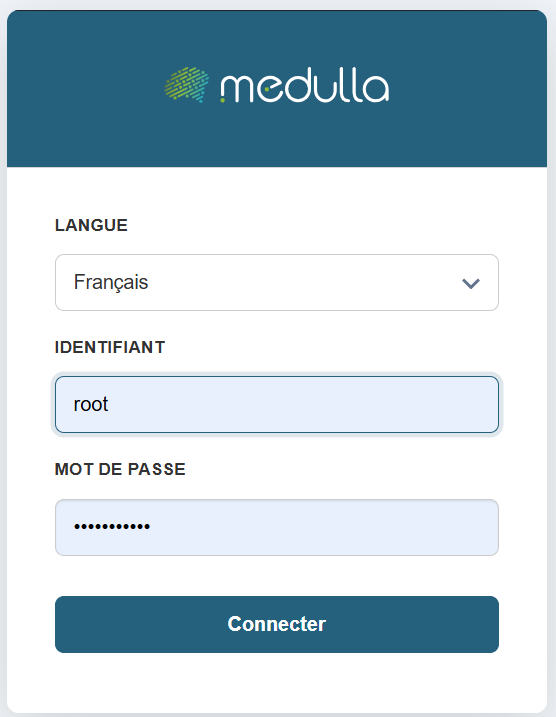](https://docs.medulla-tech.io/uploads/images/gallery/2026-03/HNsraaO92iLAaF5O-image.png)
#### Choose your language
On the login page, select your preferred language from the dropdown menu. The default language is French, but you can change it if necessary.
##### Enter your username
Enter the username or email address you provided when creating your account.
#### Enter your password
In the Password field, enter your personal password. Make sure it is spelled correctly: uppercase and lowercase letters are distinguished.
#### Confirm the login
Click the "Log In" button to access your user account.
For security reasons, avoid saving your password on shared devices.
If you have trouble logging in, contact your organization’s technical support