Imaging

This section is dedicated toverifying the status of the imaging server, an essential step before deploying a system or creating a reference image.
The imaging server is a central component of Medulla: it allows a system image (a sort of complete "copy" of a computer) to be sent to one or more workstations. If this server is unavailable or malfunctioning, no imaging-related operation can be completed.
This is why it is recommended to systematically check its status before performing any such action.
Accessing the Imaging Server Status
When you click on the Imaging Server Status tab, you are immediately taken to the page where the pre-selected entity is neither private nor public; we will therefore refer to it as "General."
"General" Entity with Server Offline
This means that the imaging server linked to the "General" entity is inactive. You will not be able to deploy images to the machines in this entity
Understanding the Displayed Information
Selected Entity
At the top of the page, you must selectthe relevantentity.
Entities correspond to logical groupings, often used to separate environments (e.g., services, departments, locations).
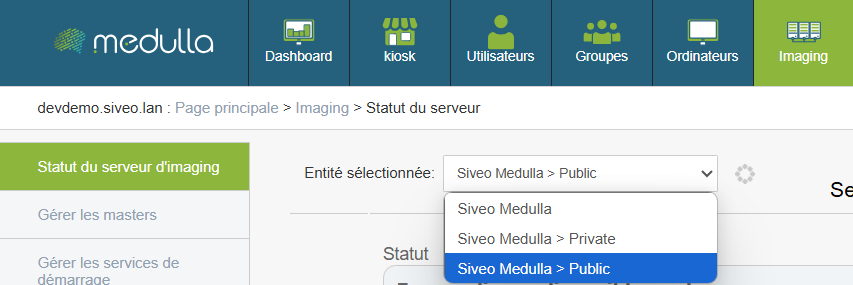
Examples of entities:
- Public
- Private
- General
Why it matters:
Each entity can be linked to a separate imaging server. It is therefore crucial to verify the status of the server for the entity you wish to use.
Server Status
For the selected entity, a visual indicator shows the current status of the server.
Three statuses may appear:
- Available
The server is operational. You can proceed with image creation or deployment. - Offline
The server is not responding.
No imaging operations can be performed.
Recommended action: contact the administrator or technical support. - Connection error
The server is reachable, but the connection fails (often due to a configuration or network communication issue).
Operations are blocked.
Recommended action: report the issue to the technical team.
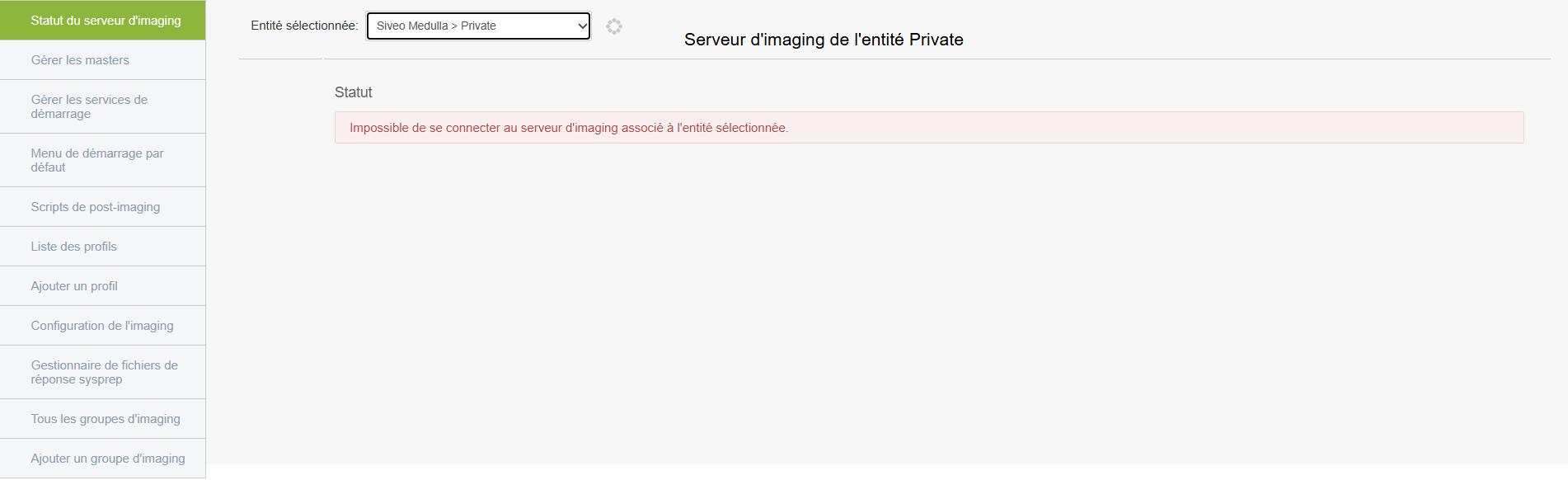
"Private" entity with connection error
Even if the server appears to be accessible, communication is not working.
The deployment will fail upon launch because the connection between Medulla and the server is broken.
"Public" entity with successful connection

If there are no errors and the server is online, this means the server is active and ready for use; it will therefore display various statistics as shown with the "Public" entity above.
In this case, it will display various information:
- Available disk space on the server: This section shows the server’s storage capacity, i.e., the space available to host system images. This space is divided into two parts called “partitions”; the first (dev/vda3) is the main partition, and the remaining free space indicates that there is room left to store images. The second is a small partition used for server boot but has no impact on deployments.
- Server load: This data provides a general overview of the server’s status, such as the duration of operation without a reboot and RAM usage
- Public entity statistics: This is information about imaging usage within the entity. Clients correspond to the machines associated with the entity; the "client has x backup images" field indicates which machines required a restore, and the number of available masters tells us how many system images are ready for deployment.
Before performing any imaging operation, verify that you are on the correct entity and that the server status is listed as “Available.”
If the status is "Offline" or "Connection Error, " do not proceed and notify the administrator or support.