Manage rules
Rules allow you to automate certain network actions or behaviors.
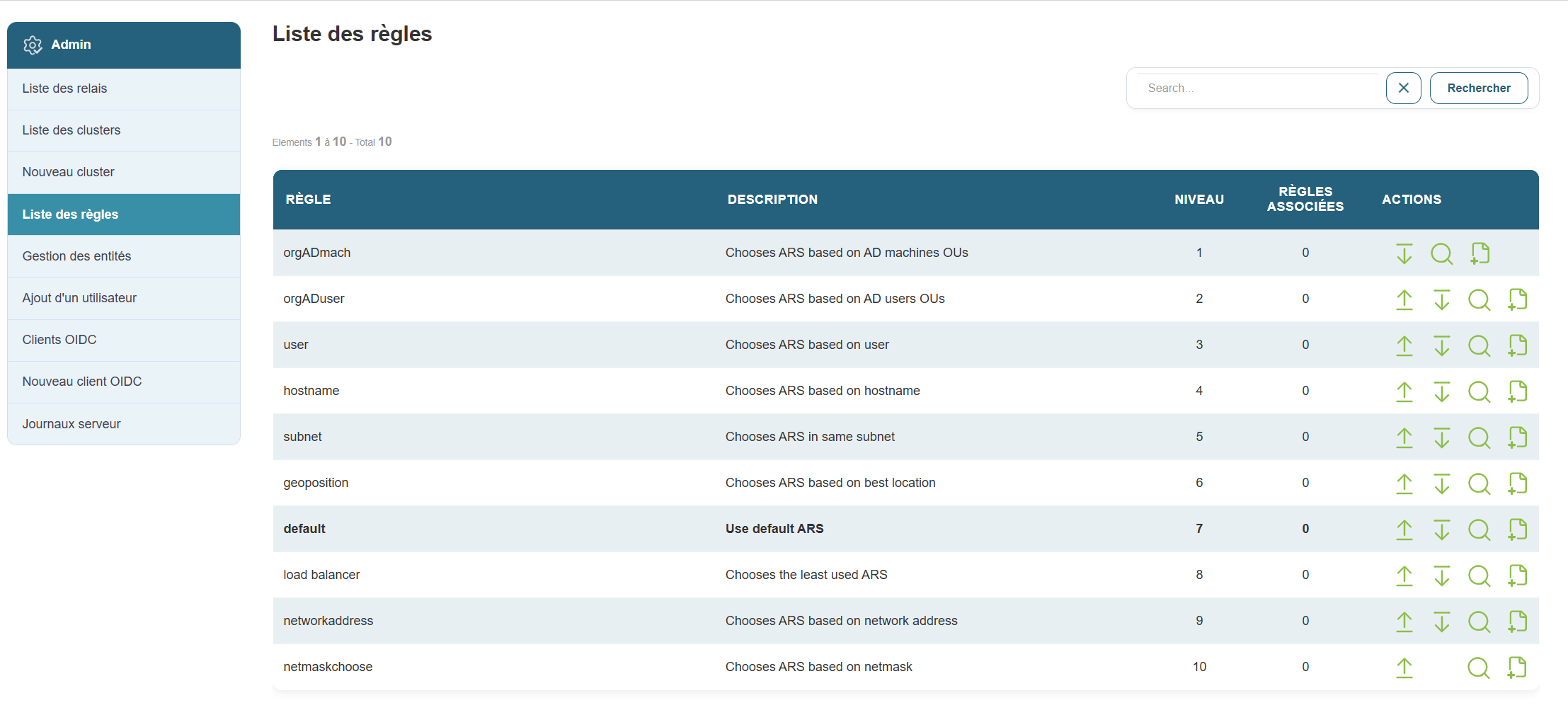
Why this is useful:
For example, this can trigger an automatic check or apply specific settings based on defined conditions.
Steps:
-
Click “Rules” in the menu.
-
On the page, you can:
-
Change the priority order of existing rules by clicking the down arrow to lower it or the up arrow to raise it.


-
Add a new rule as needed

- View the details of a rule

-



When you click the plus icon to add a new rule, the following form appears:
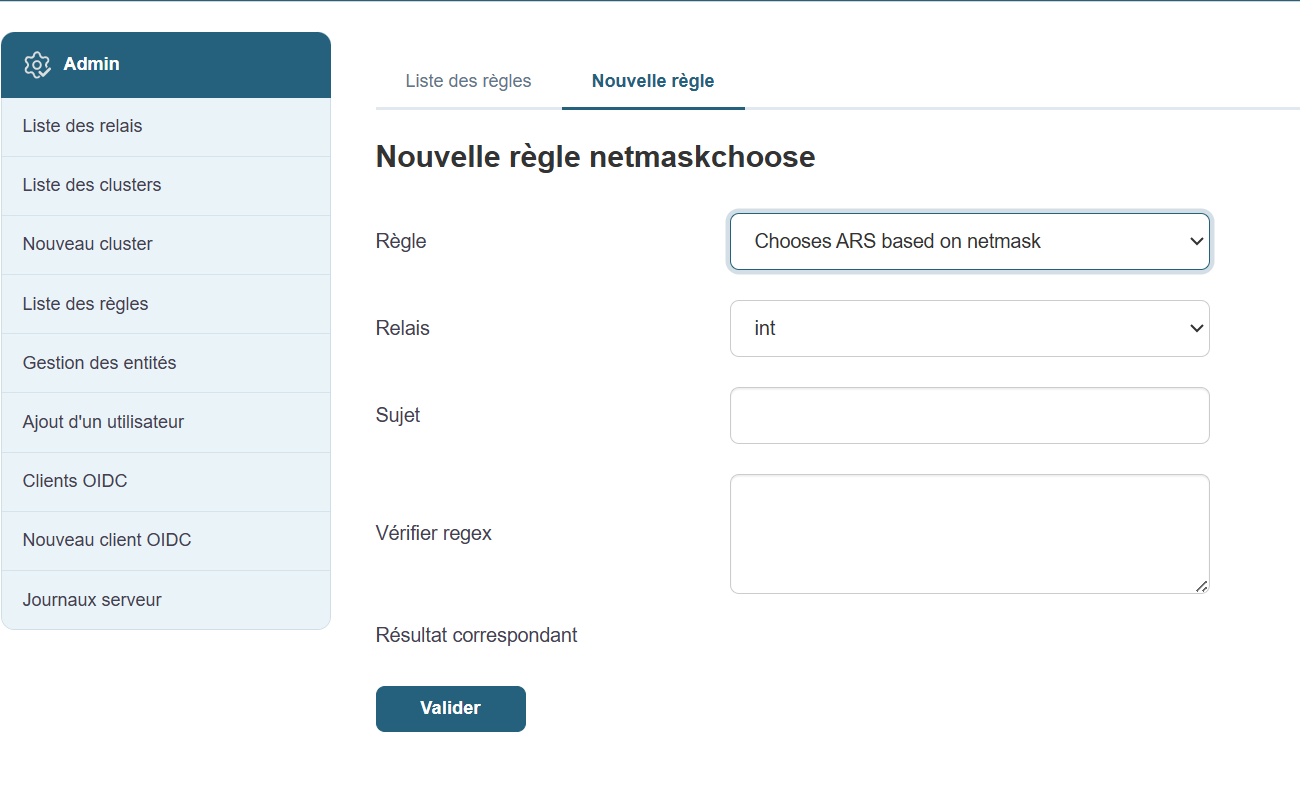
Fill in the fields one by one:
- Select the rule
- Select your relay
- Describe the subject
- Enter the regex to check
- Validate
Even if you’re not technically inclined, you can ask an administrator which rules are recommended for your environment.