
Add your first user

Now that you have created your first entity, it is time to define a user for it.
Go to "Add a User" in the left-hand menu.
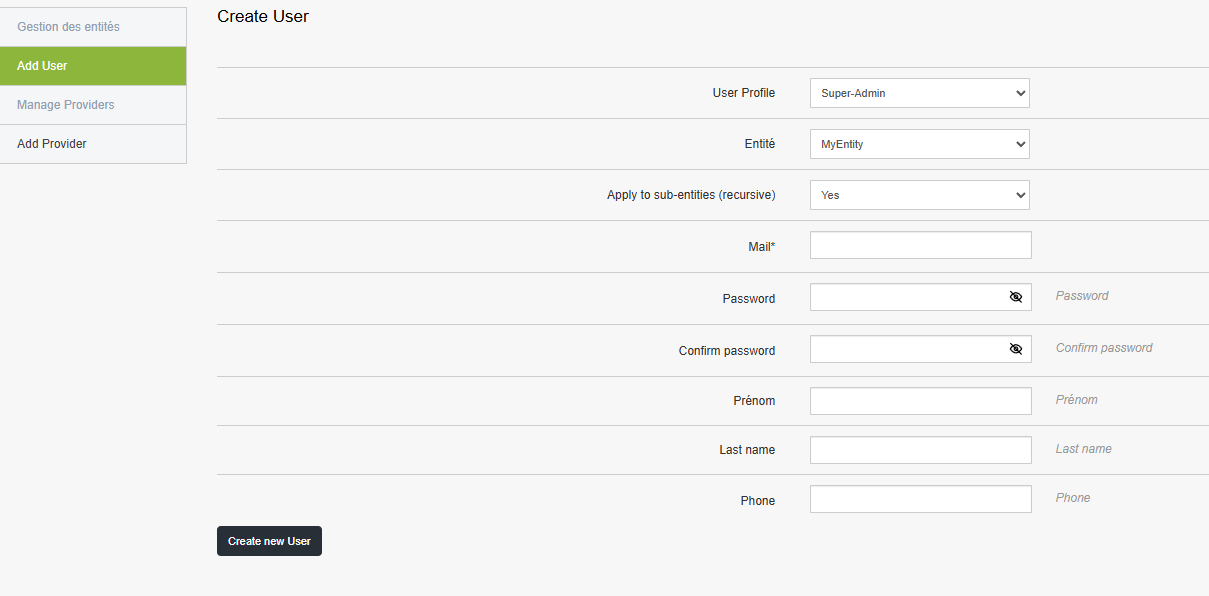
Here you have the choice between several profiles:
- Super-Admin
- Admin
- Technician
Manage them as you see fit.
You can then choose:
This user's entity
Their recursion, whether they can see entities subordinate to them. (default: Yes)
Then enter their login and personal information (authentication will be via email/password).
- Password
- First Name
- Last Name
- Phone number
Finally, click the "Create a new user" button.