
User Interactions
Notification:
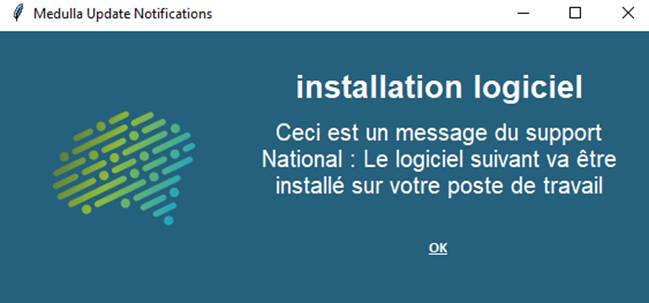
Notify the user
Drag the“User notification” action into the deployment workflow on the right
· Fill in the Title
· Enter the desired message
· Specify the display time in seconds
User question:
Drag the“User Question ” action into the deployment workflow on the right
The user can interact with the deployment, depending on the selected options
In this action, depending on the user’s response, the following actions are possible:
1. If “True” go to step: If the user answers “Yes”
2. If “False” go to step: If the user answers “No”
3. If “No User” go to step: If no user is logged in to the machine
4. If “Timeout,” go to step: If the user does not respond within the allotted time (in the example above: 300 seconds, or 5 minutes)
To define the “GO TO STEP”steps, additional actions are required in the“Deployment Flow.”
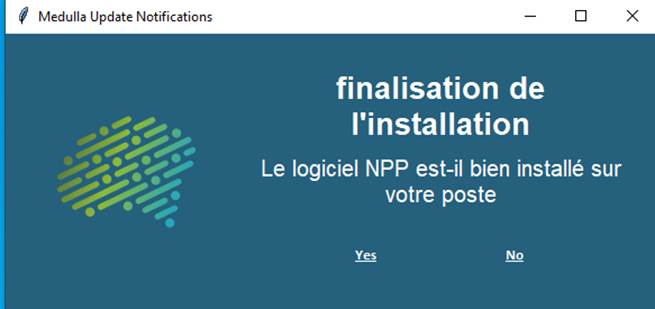
The actions associated with the Yes and No buttons must be executed correctly.
Responses to the questions must be displayed in the deployment logs
The timeout value must be observed.
User Postpone Option:
This action allows the window to be redisplayed multiple times if the “False” button is selected.
The user is prompted to confirm whether to proceed with the deployment or not, and additional actions are required in the “Deployment Flow” section.
Here, there are two additional options corresponding to the number of times the user can postpone the deployment (accessible by clicking the Options button), as well as an option specifying the action to take if the maximum number of negative responses is reached: “If ‘Max Postponements Reached,’ go to step.”
Drag the “User Postpone Option” action into the deployment workflow on the right
· Enter the Title
· Enter the desired message
· Specify the display time in seconds:
o e.g., 300 sec, 5 min
· The number of possible reminders
o e.g., 3
· The time interval between each retry:
o e.g., 900 sec, 15 min
· The actions defined for each option
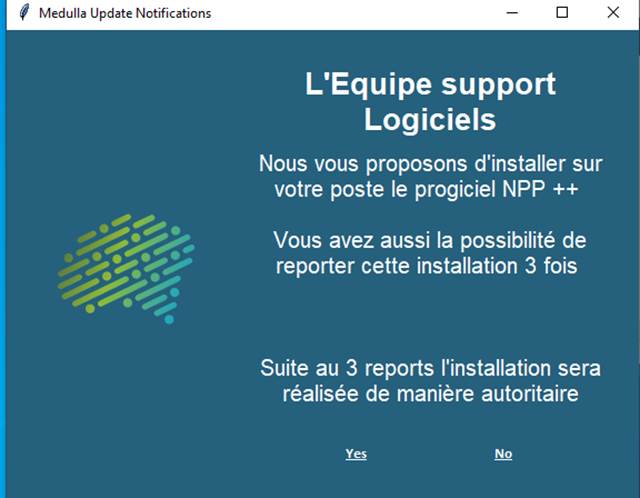
The actions associated with the " Yes " and " No " buttons must be executed correctly.
The specified time between each retry of the questions must be observed
Responses to the questions must be displayed in the deployment logs
The timeout value must be observed.