
How to log in to Medulla
After subscribing to our SaaS offering, you should have received a link to access our platform.
Simply enter your email address there to receive a "Magic Link" that will allow you to log in to your account.
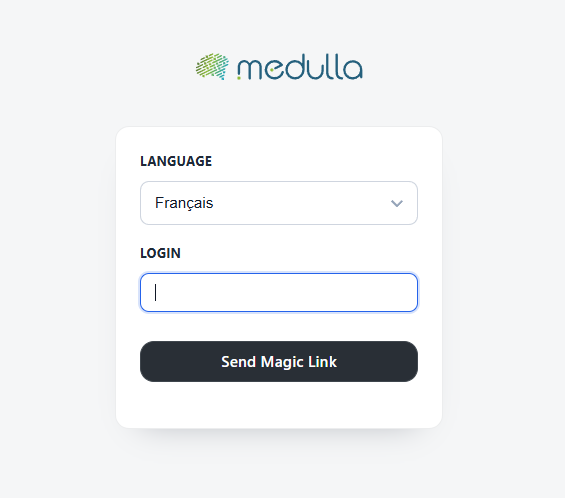
Login Steps
Select your language
On the login page, select your preferred language from the drop-down menu. The default language is French, but you can change it if necessary.
Enter your username
Before configuring your OIDC, users, and entities, you must log in for the first time using the information provided in the email confirming your SaaS contract.
Confirm the login
Click the "Log In" button to access your user dashboard.
For security reasons, avoid saving your password on shared devices.
If you have trouble logging in, contact your organization’s technical support