Configuring VNC for a machine
Applies to:Medulla
Version: All
Environment: All
Category: PMAD
For a computer, you can configure VNC as you wish:
- Option to require approval from the VNC client.
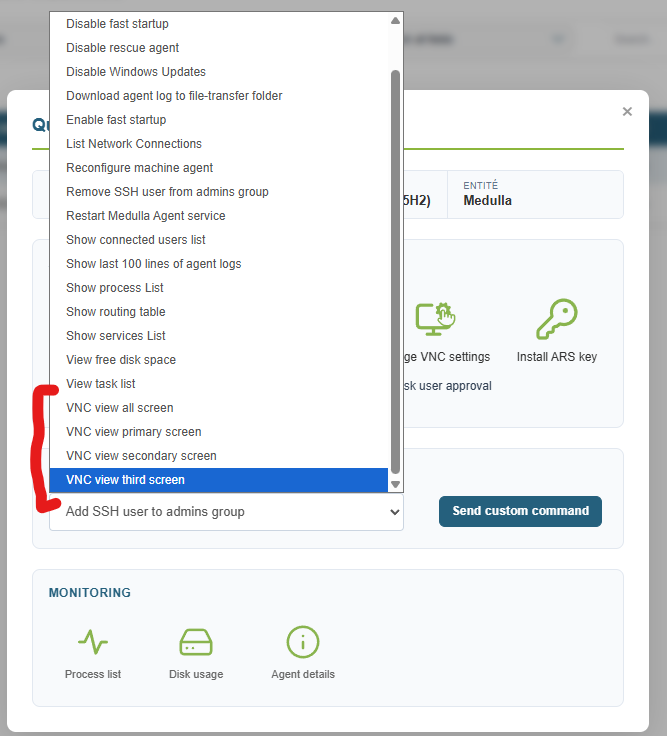
- Select the number of screens used for VNC
All of this is done via the quick actions in the Computers view.
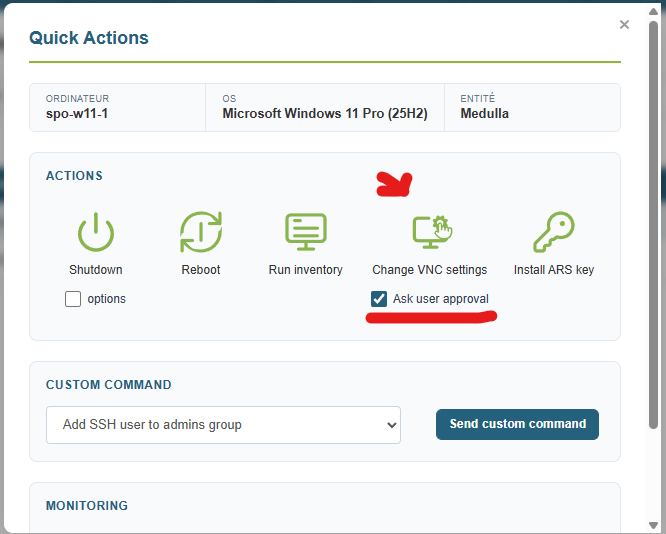
Select whether to require approval from the VNC client
This option allows you to enable or disable the approval prompt displayed on the remote client workstation for remote access.
Check or uncheck the "Ask user approval" checkbox, then click the "Change VNC settings" icon above it.
Selecting the number of screens used for VNC
This option lets you choose one or more screens to display during a remote session.
Go to the "Custom Command" drop-down list, then click "Send custom command. "