
Extract drivers from computers
Applies to: Medulla – Imaging
Version: All
Environment: On-Premise
Category: Imaging
To extract drivers from one or more computers, there are two options:
Either run the Medulla Extract Drivers package on a computer or a group of computers, or run the package automatically.
Manually running the driver extraction package:
In Medulla, as soon as the server is installed, the Medulla Extract Drivers package is available in the list of packages. To run this package on the workstations from which you want to extract drivers and certificates for later use in imaging:
Click the deployment icon on a computer:
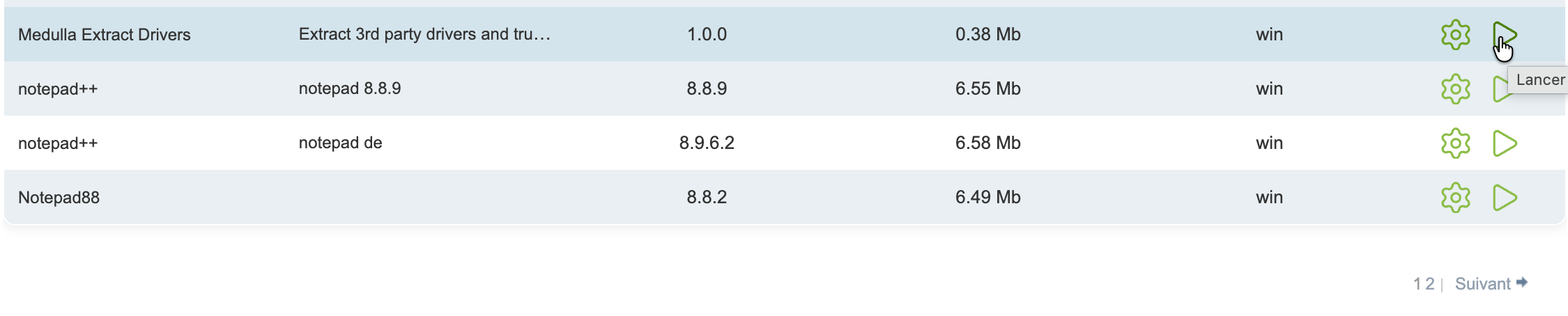
Once the package has finished running, your drivers will be sorted by OS/brand/model in
/var/lib/pulse2/imaging/postinst/sysprep/drivers/ Automatic driver extraction on an infrastructure:
This feature allows you to automatically extract drivers from a computer.
A configuration option to enable or disable this feature is located in the following files: /etc/pulse-xmpp-agent-substitute/registeryagent.ini and /etc/pulse-xmpp-agent-substitute/registeryagent.ini.local.
[extractdrivers]

# activate=0 : la fonctionnalité est désactivée
# activate=1 : la fonctionnalité est activée
activate=1

# Cet uuid correspond à l'uuid du package "Extract Drivers" généré par ansible. Il n'y a pas besoin de le modifier.
package_uuid=a66eb33a-bd6e-11e8-8e19-d0946661219c
For changes to the file /etc/pulse-xmpp-agent-substitute/registeryagent.ini.local to take effect, you must restart the pulse-xmpp-master-substitute-registration service:
systemctl restart pulse-xmpp-master-substitute-registration.serviceThe package only works on computers located on the same local network as the server.