
Set a username and password for the PXE menu
Applies to: Medulla – Imaging
Version: All
Environment: On-Premise
Category: Imaging
In Medulla, you can use PXE boot to reimage computers. If you need to manage classrooms, computer labs, or test labs, you’ll set up a menu for the relevant group of computers with the corresponding master so that you can reimage them whenever necessary. This approach presents a problem: if the master has not been removed from the PXE menu, anyone can boot the computer via PXE and reimage it. To prevent this, we can set up a username and password to restrict access to the menu to authorized users only:
Go to the imaging module:
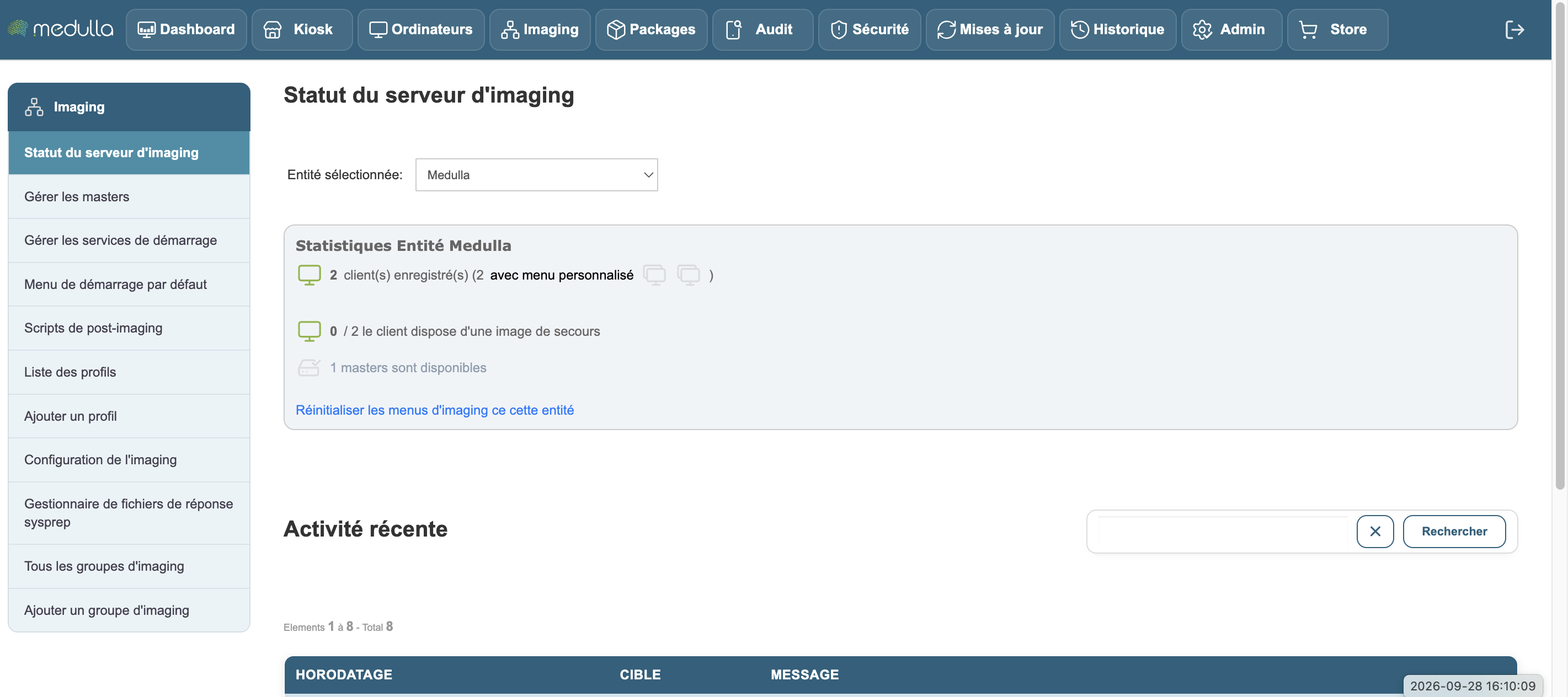
Click the button in the left-hand menu: Imaging configuration
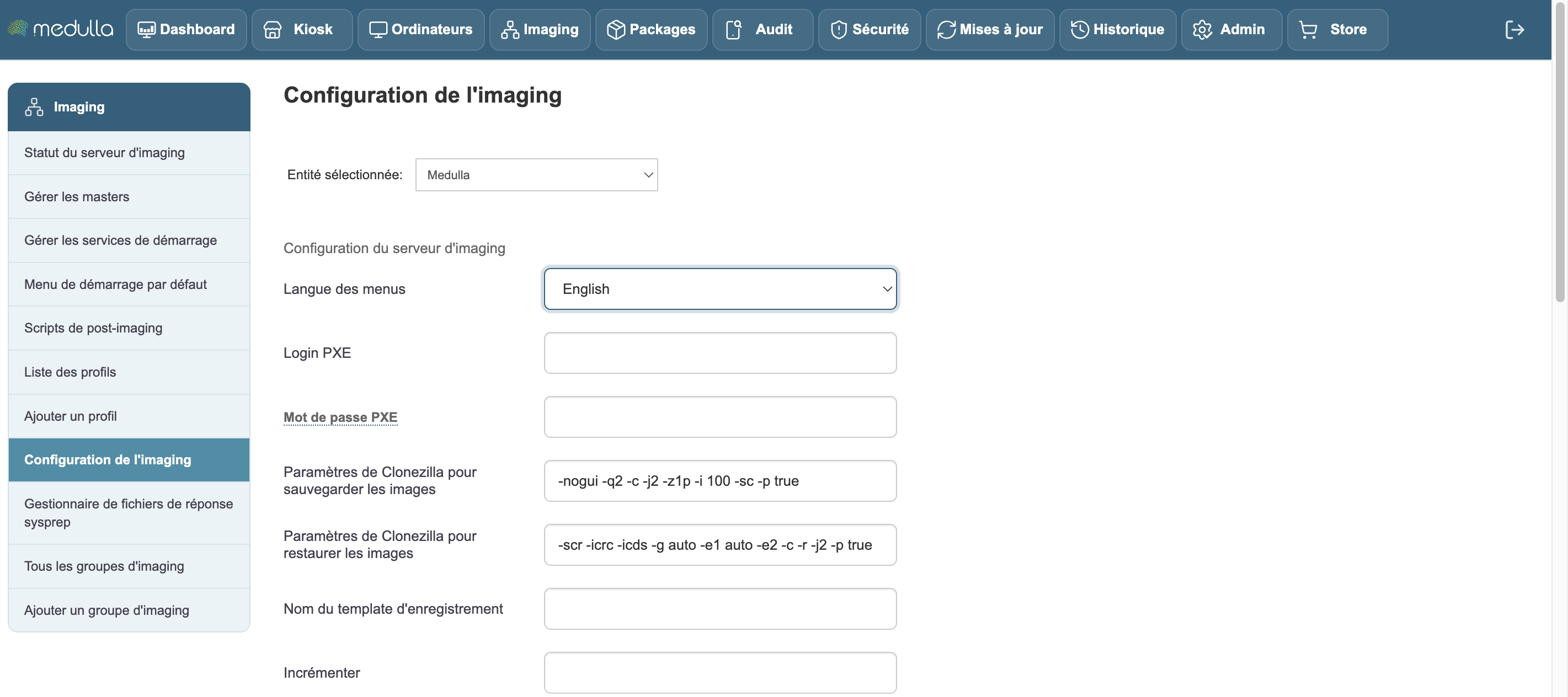
There are two fields to fill in: PXE Login and PXE Password.
Once filled in, click Validate at the bottom of the page.
Once these steps are complete, you have secured access to the PXE boot.