
Integrate the Medulla agent, tagged by entity, into your post-imaging scripts.
Applies to: Medulla – Imaging
Version: All
Environment: On-Premise
Category: Imaging
By default, when the Medulla agent is generated on the server, Medulla places it in the right locations so that it can be retrieved from the web interface and used for imaging.
When you have several different entities and want to create a master with the tagged agent so that the new computer is placed directly in the entity, you must copy the agent of the entity you want to use, located on the server in /var/lib/pulse2/medulla_agent/identités/, to /var/lib/pulse2/imaging/postinst/winutils.
Next, go to the Medulla web interface.
In the Imaging tab, click the “Post-imaging scripts” menu on the left.
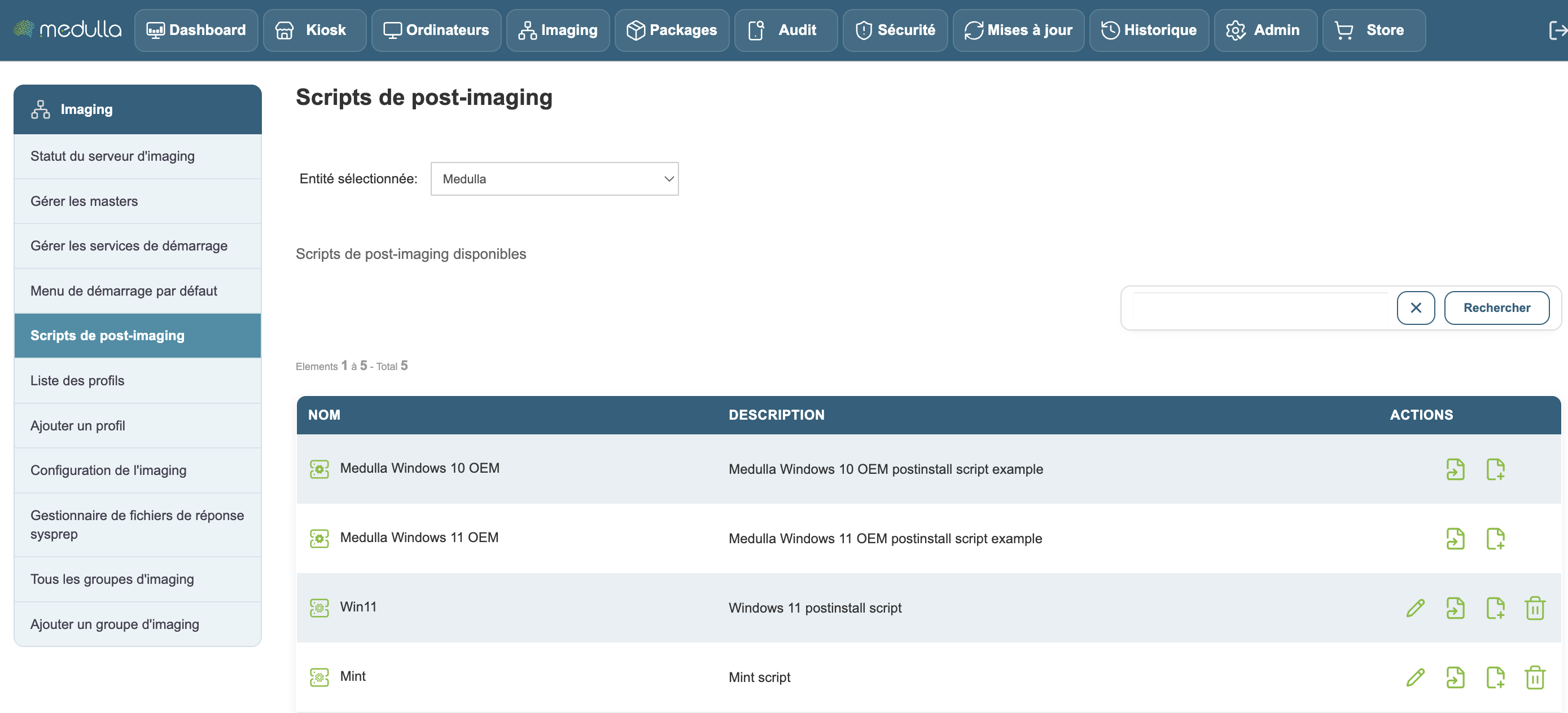
Edit the post-imaging file you are using
and, on the CopyAgent line, enter the name of the agent you copied from your entity:
MountSystem
CopyAgent  Medulla-Agent-windows-FULL-latest.exe
CopyRunAtOnce