
Import a file directly onto the server to create a package
Applies to: Medulla
Version: All
Environment: On-Premise
Category: Packages
Context
You can upload your files directly to the Medulla server to use them when creating packages.
Actions
Once the file has been uploaded to your server, follow these steps:
1. Place it in the following directory:
/var/lib/pulse2/package-server-tmpdir2. If this directory does not exist, create it and assign the necessary permissions.
mkdir /var/lib/pulse2/package-server-tmpdir
chown syncthing:syncthing /var/lib/pulse2/package-server-tmpdir
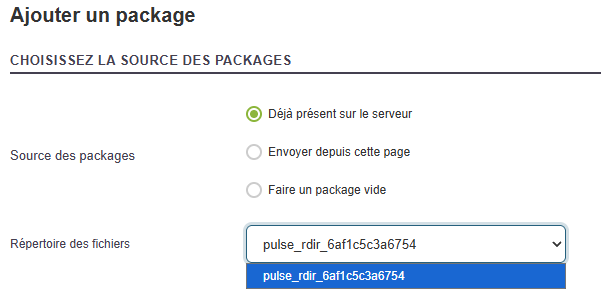
3. Then create a subdirectory with a name of your choice. This will allow you to easily identify your files in the “Files directory” drop-down list.
Example:
mkdir /var/lib/pulse2/package-server-tmpdir/Mon_PackagePlace your .exe file (or any other necessary file) in this subdirectory.
cp /chemin/Mon_Fichier.exe /var/lib/pulse2/package-server-tmpdir/Mon_Package
When creating your package, select the “Already uploaded on the server” option, then choose the desired directory from the “Files directory” drop-down list.
This will allow you to use the files already on your server directly, without having to upload them again via the Medulla interface.