
Migrate a Medulla agent to a new infrastructure
Applies to: Medulla – Agent
Version: All versions
Environment: On-Premise / Public SaaS / Private SaaS
Category: Medulla Agent / Migration
agentconf.ini).Prerequisites:
- The migrate_client_to_newserver.py script automates these two operations as well as the associated checks. To download it, go to the following URL: https://dl.medulla-tech.io/up/migrate_client_to_newserver.py
- The configuration file for your new infrastructure: agentconf.ini. To retrieve it, go to the server and locate it in:
/var/lib/pulse2/clients/config/agentconf.iniRunning the migration script:
The script runs as root (or via sudo) and requires the agentconf.ini file from the target infrastructure, provided by the installer/infrastructure team—it is never generated by the script.
Dry-run example on a Linux workstation (no actual changes):
sudo python3 migrate_client_to_newserver.py \
        --old-fqdn agent-old.example.com \
        --new-fqdn int.medulla-tech.io \
        --xmpp-config /root/agentconf-int.ini \
        --dry-run
Example of an actual run on a Linux workstation:
sudo python3 migrate_client_to_newserver.py \
        --old-fqdn agent-old.example.com \
        --new-fqdn int.medulla-tech.io \
        --xmpp-config /root/agentconf-int.ini \
        --start-configurator --yes
Dry-run example on a Windows workstation (no actual changes):
Open an administrator command prompt, verify that the script and the agentconf.ini file are in the same location, and type the following commands:
migrate_client_to_newserver.py --old-fqdn agent-old.example.com --new-fqdn fqdn.medulla-tech.io --xmpp-config /path/agentconf.ini --dry-runExample of an actual run on a Windows workstation:
migrate_client_to_newserver.py --old-fqdn agent-old.example.com --new-fqdn fqdn.medulla-tech.io --xmpp-config /path/agentconf.ini --start-configurator --yes --forceWhat does the script do?
- Downloads and verifies (using openssl) the public root and intermediate CAs for the target infrastructure.
- Installs these CAs in the trust store appropriate for the OS (Linux, macOS, Windows).
- Backs up the old XMPP configuration and then installs the new agentconf.ini file provided.
- Tests the STARTTLS connection to the new XMPP server before starting anything.
Mandatory final step: restart the agent
Once the script has completed successfully, the switchover is not yet operational until the agent service has been restarted. You must therefore always run the following command on the migrated workstation:
systemctl restart pulse-xmpp-agent.serviceWithout this restart, the agent continues to run with the old XMPP session in memory and will not apply the new configuration until the service is restarted.
Security
The script never generates or displays confpassword or keyAES32, never copies OpenSSH host keys from another computer, and never touches a TLS private key. The new XMPP configuration must always come from the target installer/infrastructure; it must never be copied as-is from the old computer.
Running the migration script via Medulla:
Go to the Packages tab. Click “Add a package”:
Upload the script and the target infrastructure file by clicking “Upload Queued Files”:
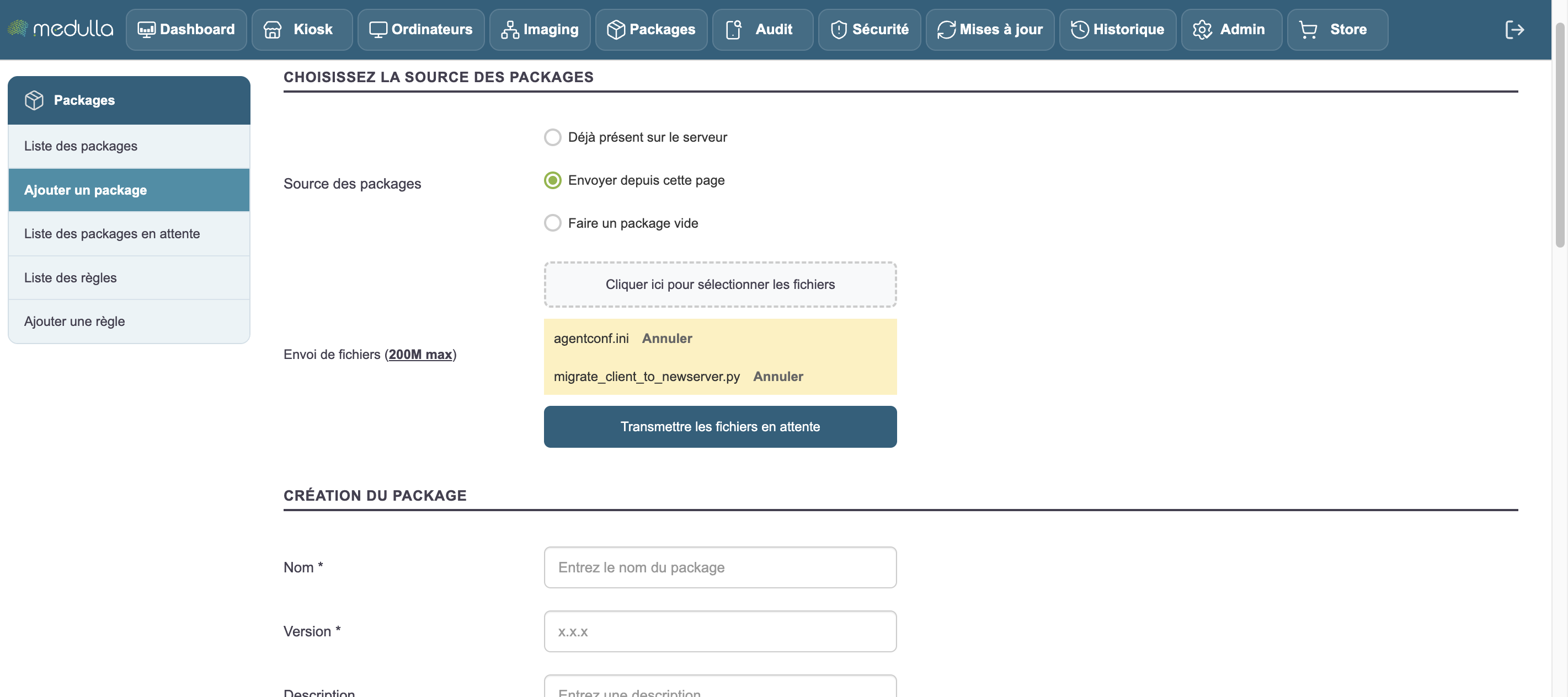
Fill in the Name and Version fields.
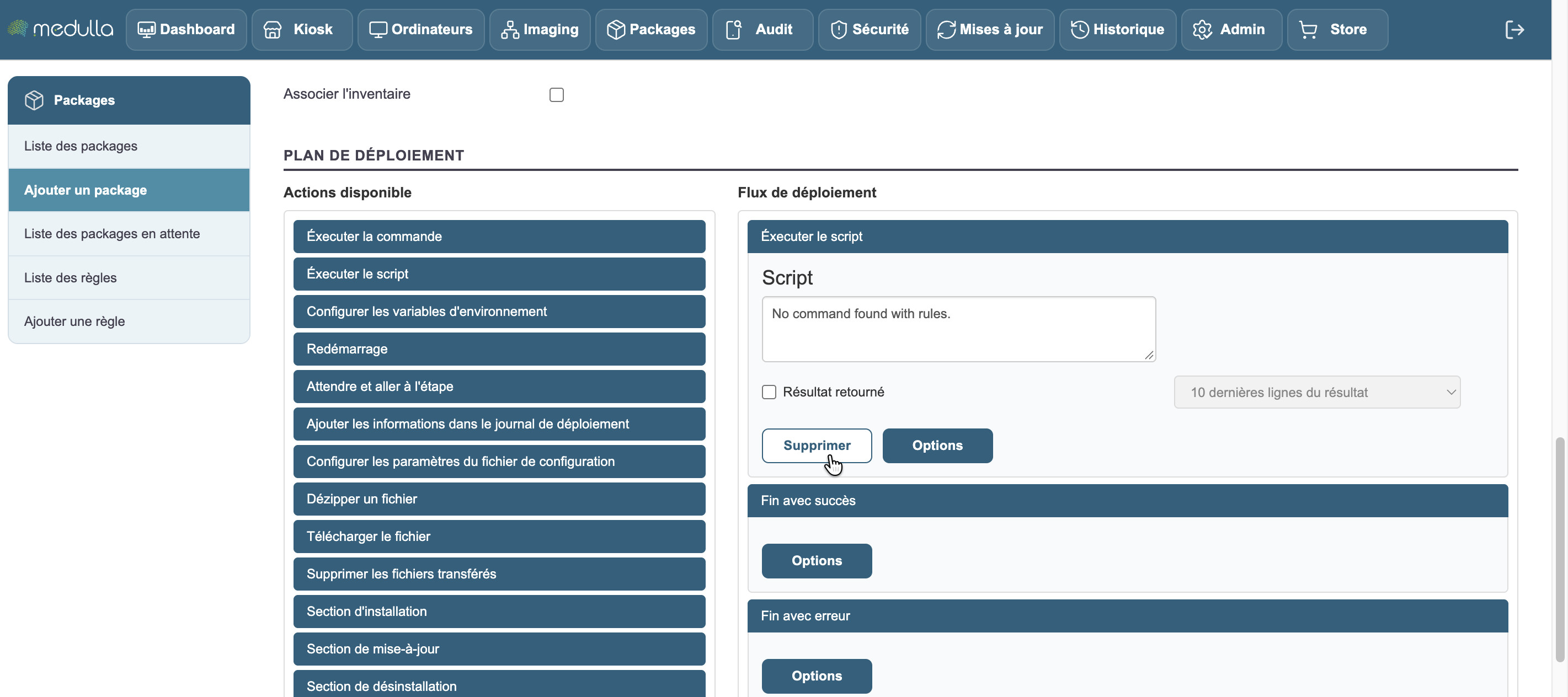
In the Workflow section of the screen:
delete the script in the right-hand Deployment Workflow section.
In the Available Actions section on the left, select the Run command action and drag and drop it.
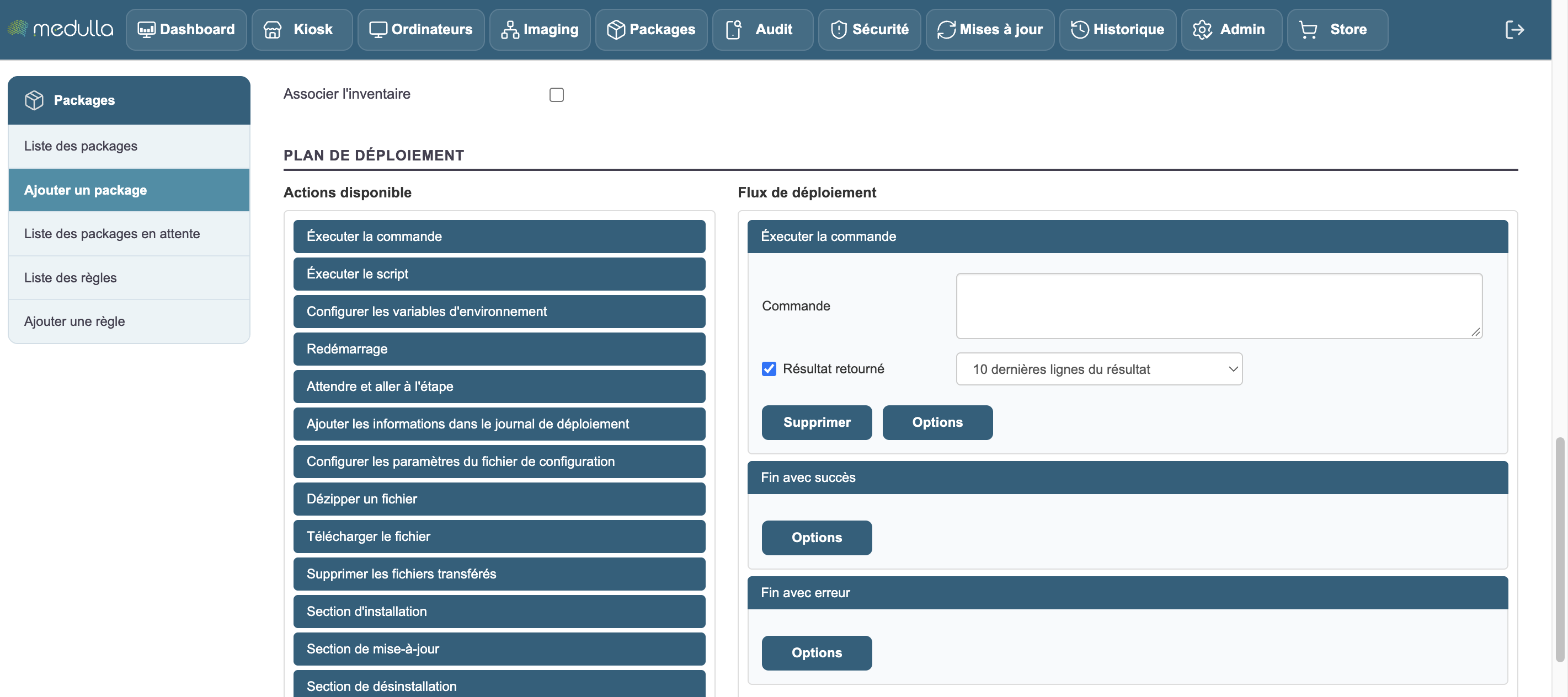
In the command, type the following:
Dry-run example on a Linux workstation (no actual changes):
sudo python3 migrate_client_to_newserver.py --old-fqdn agent-old.example.com --new-fqdn int.medulla-tech.io --xmpp-config /root/agentconf-int.ini --dry-runExample of an actual run on a Linux workstation:
sudo python3 migrate_client_to_newserver.py --old-fqdn agent-old.example.com --new-fqdn int.medulla-tech.io --xmpp-config /root/agentconf-int.ini --start-configurator --yesDry-run example on a Windows workstation (no actual changes):
migrate_client_to_newserver.py --old-fqdn agent-old.example.com --new-fqdn fqdn.medulla-tech.io --xmpp-config agentconf.ini --dry-runExample of an actual run on a Windows workstation:
migrate_client_to_newserver.py --old-fqdn agent-old.example.com --new-fqdn fqdn.medulla-tech.io --xmpp-config agentconf.ini --start-configurator --yes --forceExample command in the Medulla package:
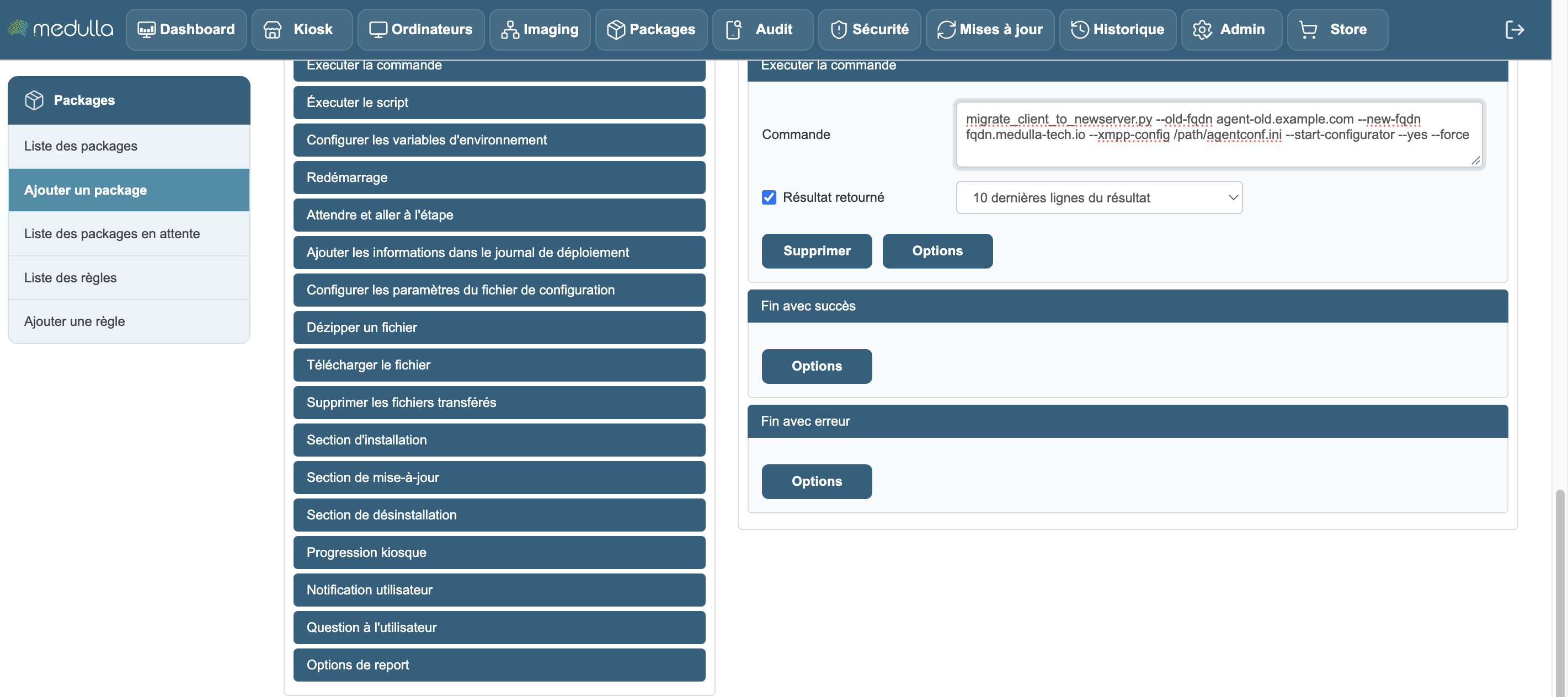
Click Confirm.
Go to the computer or group of computers you want to migrate and run the package.
Your package will copy the files, then run the script with the specified parameters, and finally restart the agent.
In the old Medulla infrastructure—the one where you launched the package—your computer will appear offline, and after a few minutes, it will appear in the new Medulla infrastructure.
If you are migrating from an infrastructure that is older than the new one, you must factor in the time required to install the new plugins, etc., which may increase the time it takes for your computer to become operational.