
Applications - Configuration
The configuration edit form is organized into six tabs:

This page describes the third tab, Applications, which allows you to define which applications are installed, removed, or ignored on devices using this configuration.
List of Applications
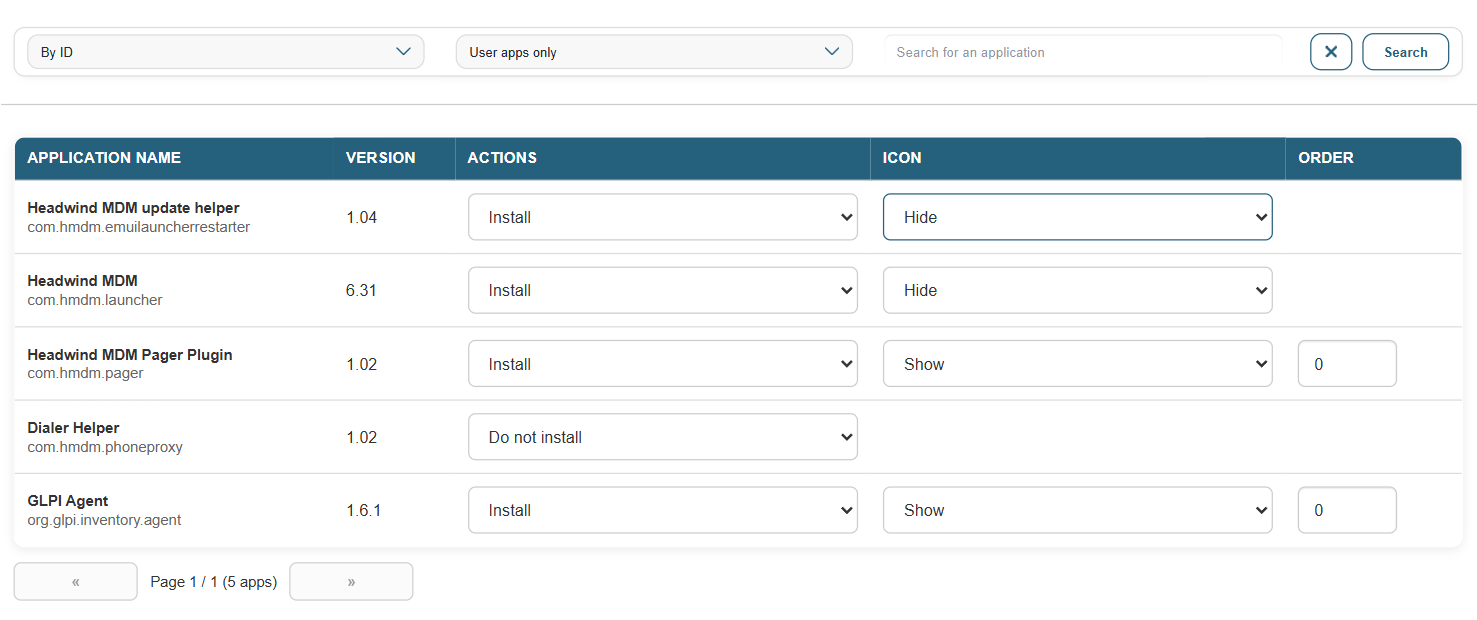
The list displays all applications available in the MDM module. Each row corresponds to an application with:
- its name
- its package ID
- its version
A filter lets you display only user apps or all apps (including system apps). A search bar lets you quickly find an app by name or identifier.
Actions per App
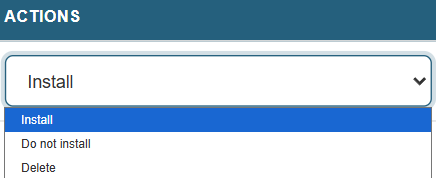
For each app, three actions are available:
- Install: The deployment of the app occurs on devices using this configuration.
- Do not install: The app is ignored; it is neither installed nor uninstalled.
- Uninstall: The app is uninstalled if it is present on the device.
Icon and Display Order
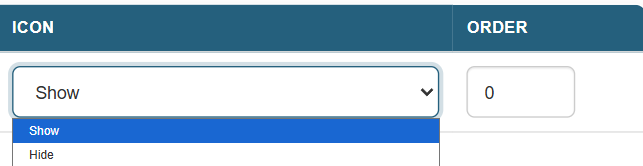
These two fields are visible only when the selected action is Install.
Icon: Specifies whether the app’s icon is displayed on the home screen.
- Show: The icon appears on the home screen.
- Hide: The app is installed but its icon is not visible on the home screen.
Order: a numerical value that defines the icon’s position on the launcher. Lower values appear first.