
Design - Configuration
The configuration edit form is organized into six tabs:

This page describes the second tab, Design, which allows you to customize the appearance of the MDM launcher on devices: colors, wallpaper, icon size, displayed title, and screen orientation.
Default Settings

- Use the default design: if checked, all customization fields are ignored and the platform’s standard design is applied.
Colors and Wallpaper
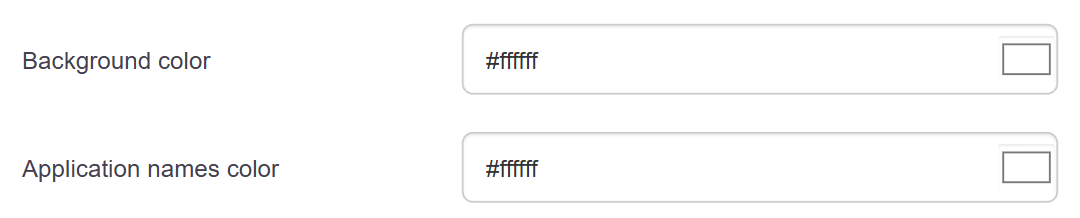
-
Background color: the launcher’s background color. A color picker is available.
-
App name color: the color of the text displayed under each icon. A color picker is available.
-
Background image URL: The URL of an image used as the launcher’s background. If specified, it replaces the background color.
Icons

Icon size: Sets the size of the app icons displayed on the launcher.
- Small
-
Normal (+20%)
-
Large (+40%)
Desktop Title

Desktop Title: Text or information displayed at the top of the launcher.
- None: No title is displayed.
-
Device ID: Displays the device number.
-
Description: Displays the device description.
-
Custom Template: Displays text built from variables.
-
Title Template (visible only if Custom Template is selected): free-form text field using the variables deviceId, description, custom1, custom2, and custom3.
Orientation and Display

Lock Orientation: locks the screen orientation.
- Free: The orientation follows the device's movements.
-
Portrait: The screen is forced into portrait mode.
-
Landscape: The screen is forced into landscape mode.
Show time and battery status: If checked, a system information bar is visible on the home screen.