Contact Synchronization
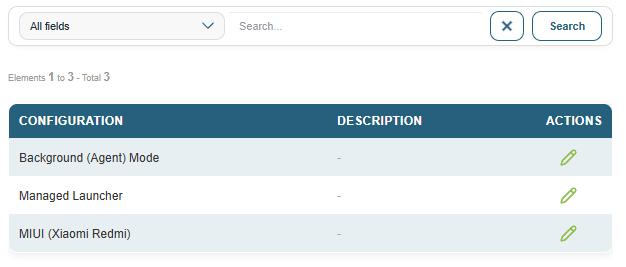
This page displays a list of MDM configurations and allows you to configure automatic address book synchronization for each one on the devices that use it.
How it works: The MDM agent periodically downloads a contact file in VCF format from a remote URL and imports it into the Android address book. This keeps a shared address book up to date across all devices in a configuration, without requiring manual intervention.
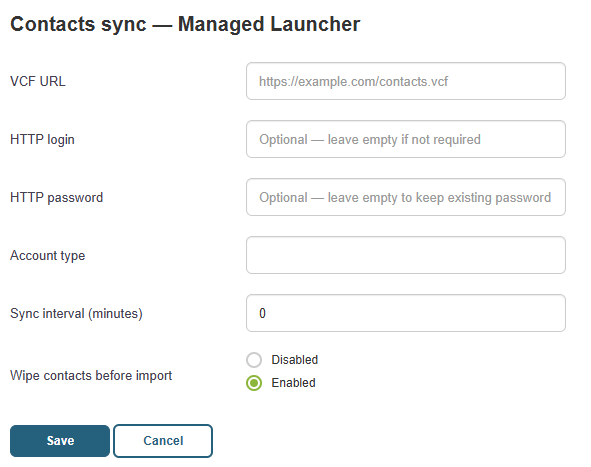
To configure synchronization for a configuration, click the "Edit Contact Synchronization" action. The available settings are:
- VCF URL: The URL of the contact file to download. This file can be hosted on an external server or generated from the Files section in Medulla (see the Files page).
- HTTP username and HTTP password: Optional credentials if the URL is protected by HTTP authentication.
- Account type: The Android identifier for the contacts account used for import. The default value (com.android.contacts) works in the vast majority of cases.
- Sync interval (minutes): The frequency at which the device re-downloads and re-imports the file. A value of 0 disables automatic synchronization (manual import only).
- Clear contacts before import: If enabled, the address book is completely cleared before each import. This is useful for ensuring that contacts deleted from the VCF file are also removed from the device. If disabled, only contacts previously imported by the agent are updated; contacts entered manually on the device are retained.