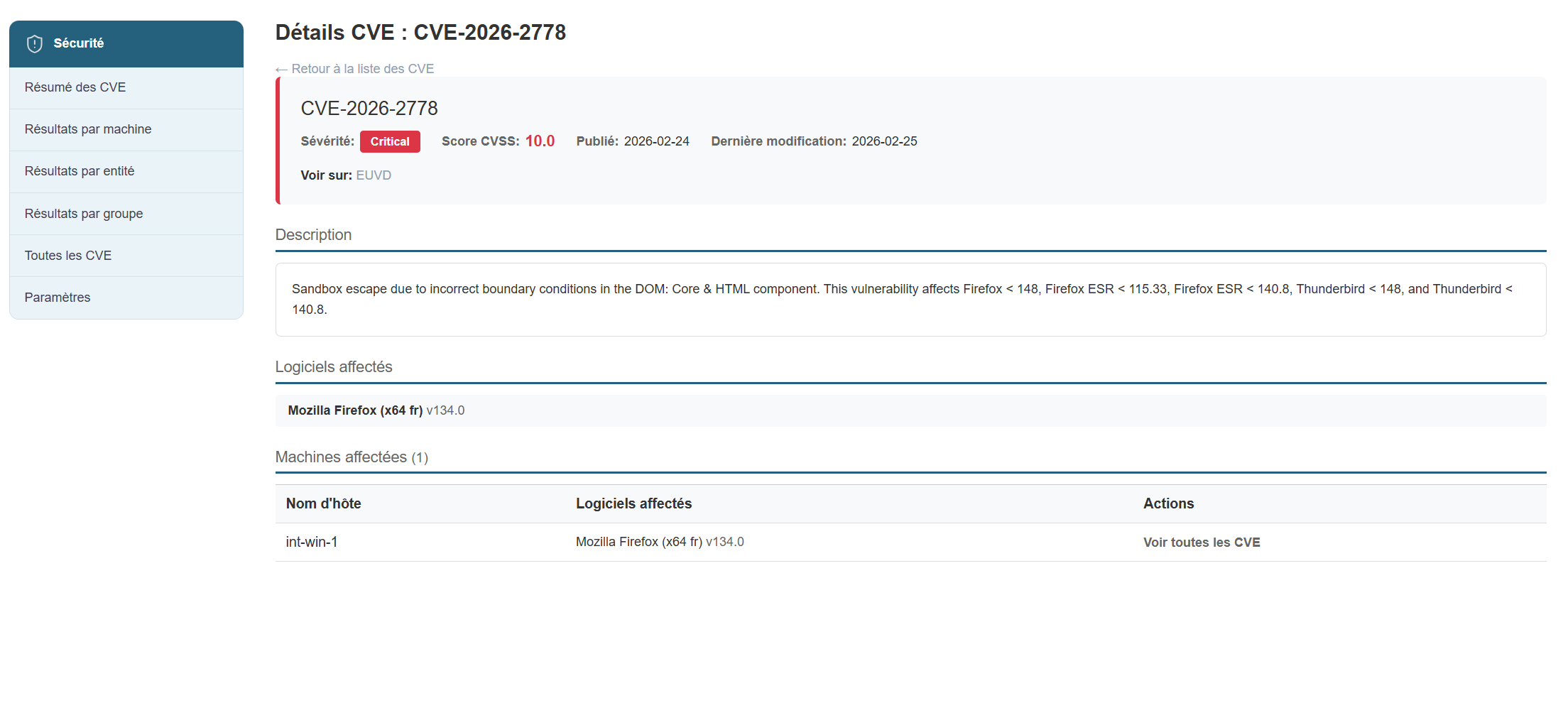
Results view by machine
Results view by machine:
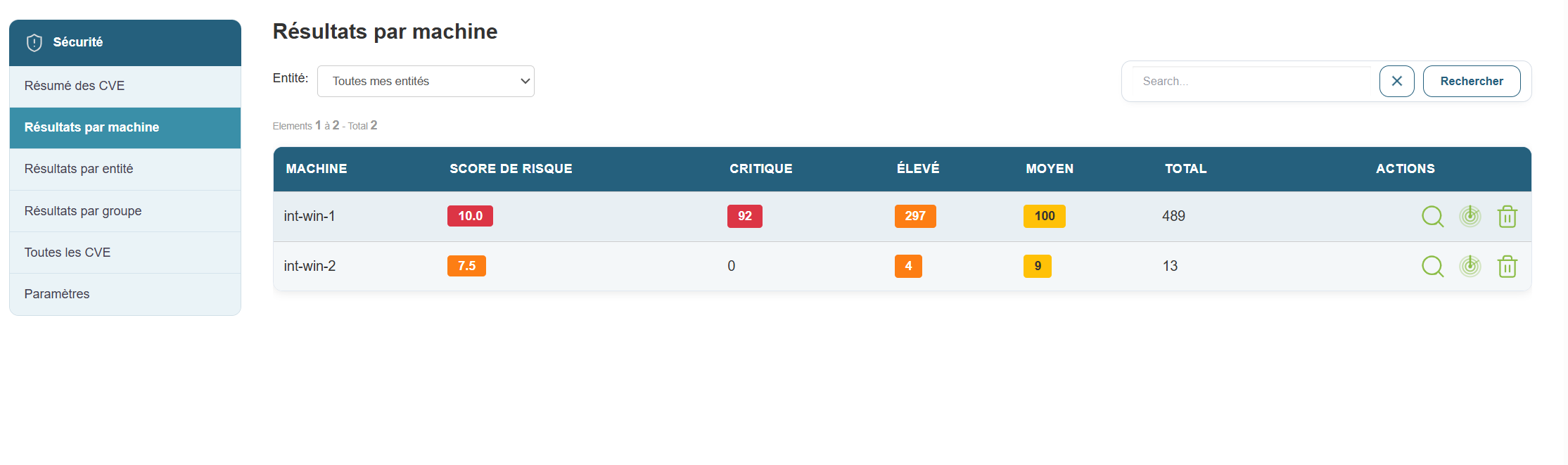
In this view, you will see all machines affected by CVEs:
- Machine Name
- CVSS Score
- Number of Critical CVEs
- Number of high-severity CVEs
- Number of medium-severity CVEs
- Number of low-severity CVEs
- Total CVEs per machine
- The three actions for viewing details and launching a scan on an entity.
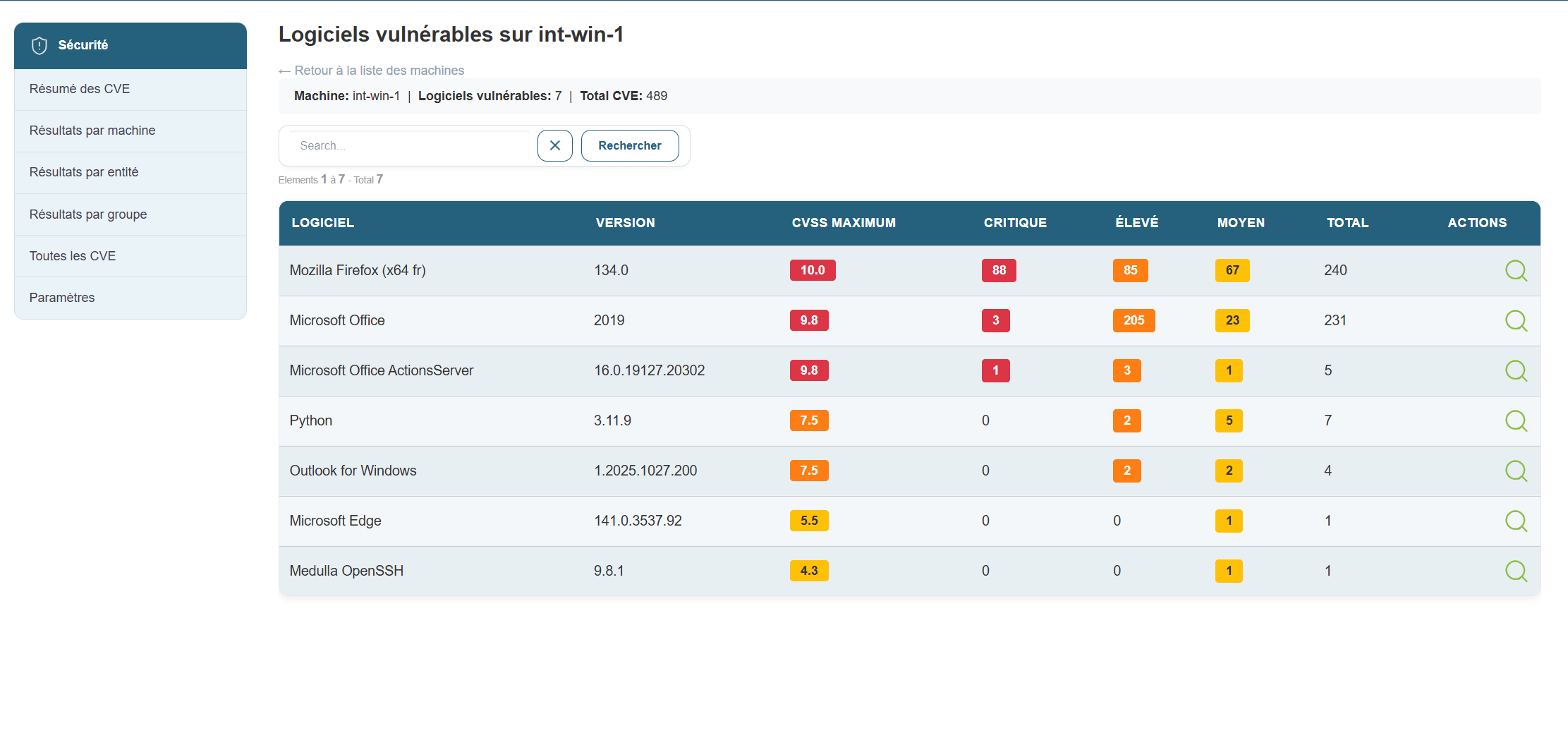
By clicking the button to view details, you’ll see the CVEs listed by application. You can drill down further by selecting a specific CVE—for example, Flatpak—if you want to see more information about that vulnerability. Just click the button in the actions menu.
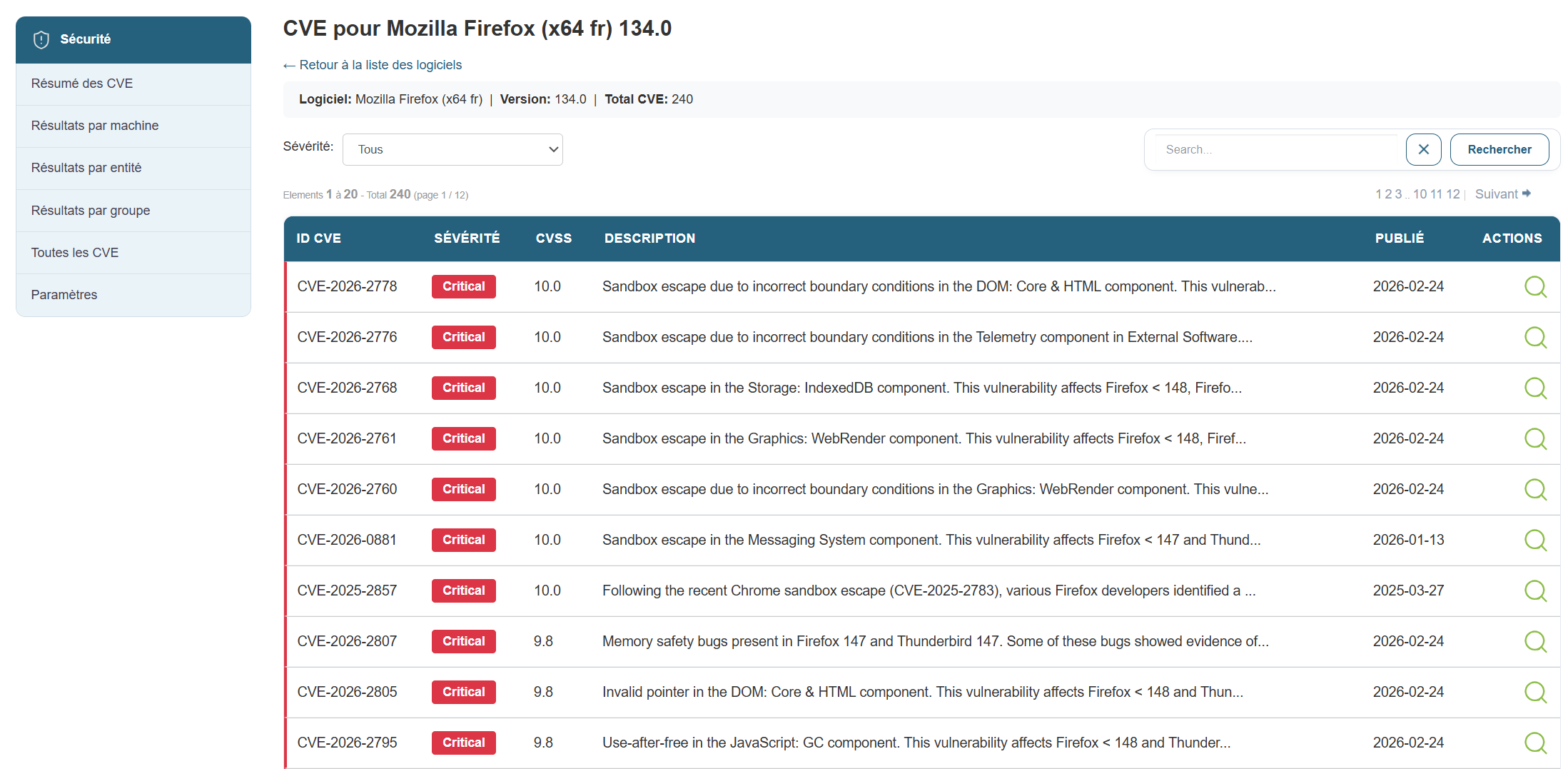
In this view, you’ll find the following information:
- The CVE ID
- The severity
- The CVSS score
- The CVE description
- Publication date
Clicking the action button for CVE-2024-42472 will give me a complete view of the CVE taken directly from the CVE database