Network Filtering
Network filtering allows you to control which domains are accessible from devices. The MDM agent intercepts DNS requests and applies the rules defined in the profiles assigned to the device configuration.
A profile consists of a list of domains and a filtering mode. A configuration can have one or more profiles assigned to it, and the same profile can be reused in multiple configurations.
Filtering Modes
Each profile operates in one of the following two modes:
- Blocklist: All domains are accessible by default. Only the domains listed in the profile are blocked.
- Allowlist: All domains are blocked by default. Only the domains listed in the profile are allowed.
Wildcards
Domains can be entered with a wildcard `*` to include a domain and all its subdomains. For example:
- `example.com` covers only that exact domain.
- `*.example.com` covers example.com as well as all its subdomains (www.example.com, m.example.com, etc.).
Configuration Cycle
1. Create a profile by clicking the Add button.
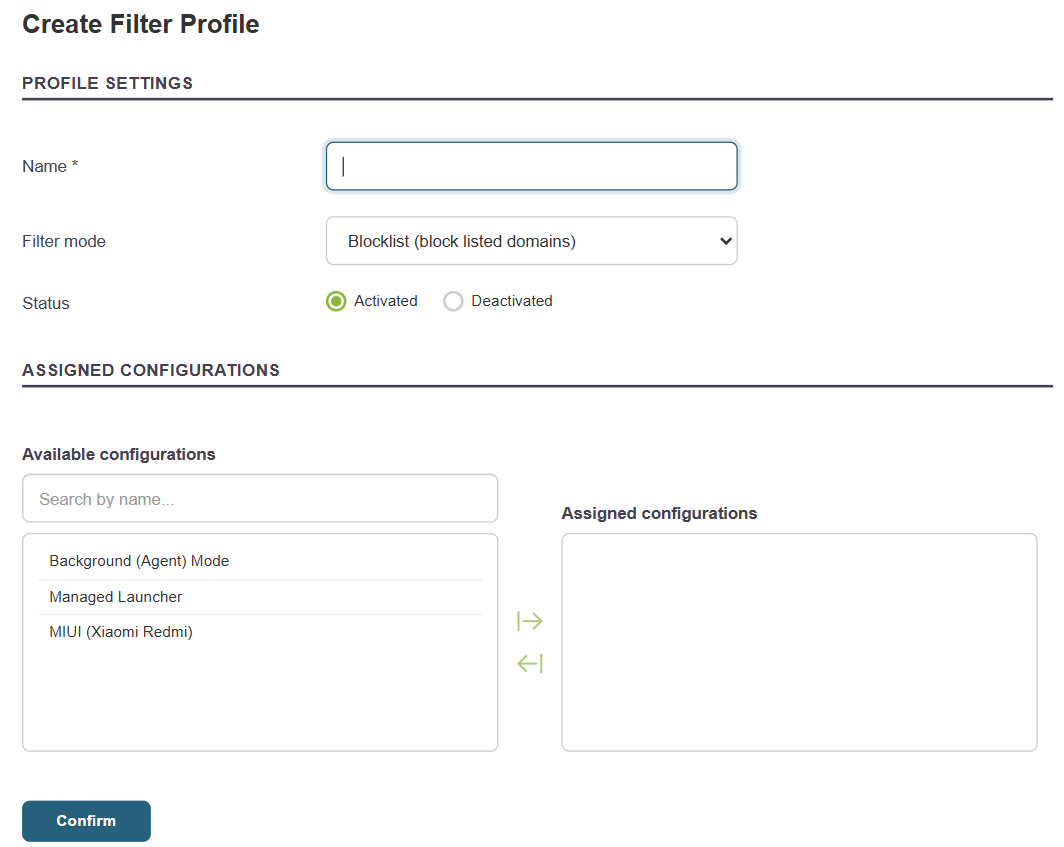
2. Enter the name, filtering mode (Blocklist or Allowlist), status (enabled or disabled), and select the configurations to which this profile will be applied.
3. Add domains to the profile. There are two ways to do this from the list of profiles:
- Click the "Rules" action to access the profile's domain list, then click the "Add" button.
- Click directly on the “Add a Rule” action to go to the add form without going through the list.
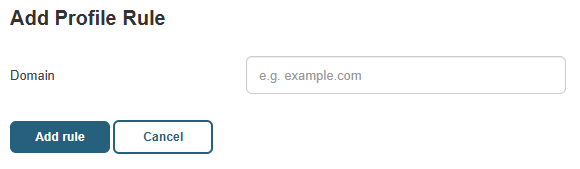
In both cases, simply enter the domain (with or without a wildcard) and confirm.
List of Profiles
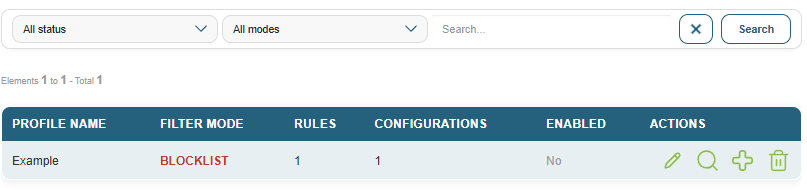
For each profile, the following information is displayed: name, mode, number of rules, number of associated configurations, and status (enabled or disabled).
The available filters let you narrow down the display by:
- mode (Blocklist / Allowlist)
- status (enabled / disabled).

The actions available for each profile are:
- Edit: edit the name, mode, status, and associated configurations.
- Rules: view and manage the profile’s domains.
- Add a rule: Add a domain directly to the profile.
- Delete: Delete the profile.