
MDM Settings - Configuration
The configuration edit form is organized into six tabs:

This page describes the fourth tab, MDM Settings, which contains advanced settings for kiosk mode, enrollment, and MDM agent behavior.
MDM Application
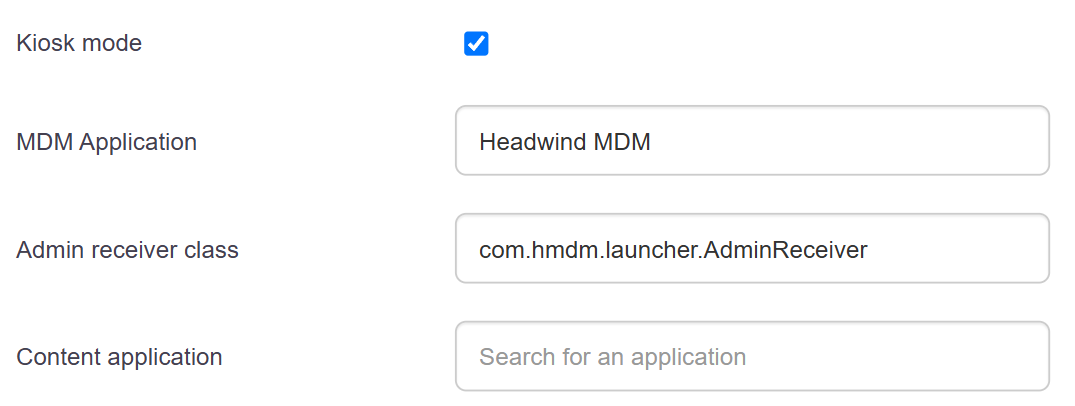
- MDM Application: Name of the application used as the primary MDM agent. A search field for applications in the configuration is available.
- Admin Receiver Class: The Android component responsible for receiving MDM commands. The expected value is "com.hmdm.launcher.AdminReceiver"
- Content App: The app launched in the foreground in kiosk mode. Visible only if kiosk mode is enabled.
Kiosk Mode
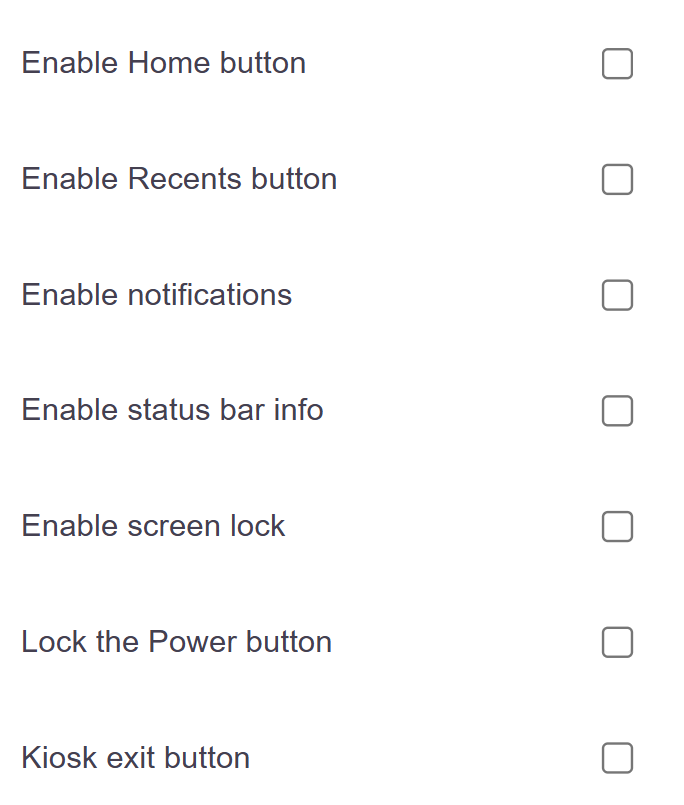
These options are visible only when kiosk mode is enabled in this tab.
- Enable Home Button: Allows access to the button that returns to the home screen.
- Enable Recent Apps button: Displays the multitasking button.
- Enable notifications: Allows system notifications to be displayed.
- Show status bar information: Displays the time, battery level, and system icons.
- Enable screen lock: Allows the device to be locked.
- Lock the power button: Prevents the physical power button from being used.
- Kiosk Exit Button: Displays a button to exit kiosk mode using the unlock password.
Enrollment
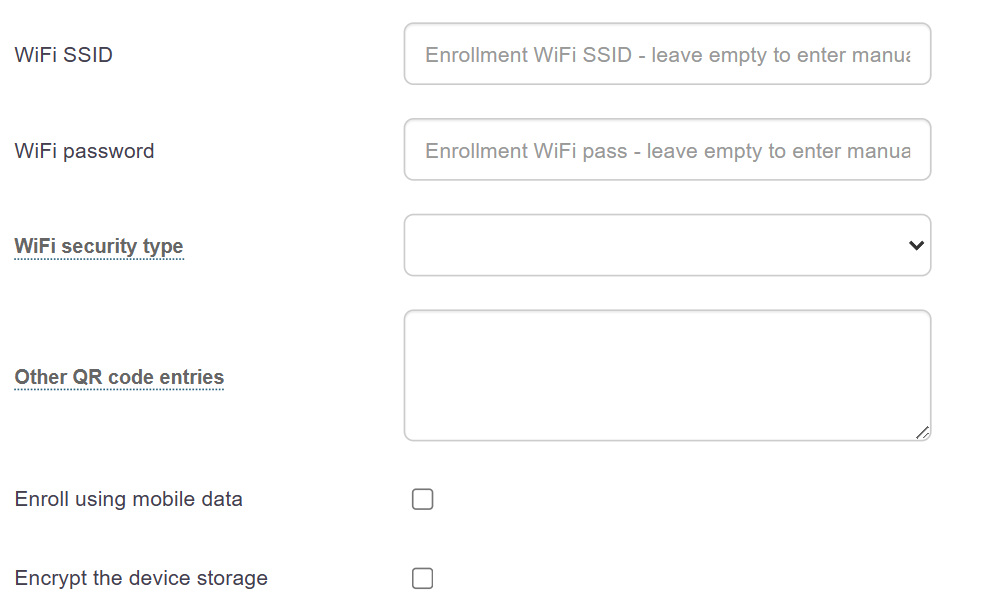
- Wi-Fi SSID: Preconfigured Wi-Fi network used during enrollment. Leave blank for the user to enter it manually.
- Wi-Fi Password: The password for the enrollment network.
- Wi-Fi Security: Network security type. Available options: WPA, WEP, EAP, NONE.
- Other QR Settings: Additional entries embedded in the enrollment QR code, in a comma-separated key/value format.
- Enrollment via mobile data: If checked, enrollment can be performed via the mobile network.
- Encrypt device storage: Enables full storage encryption during enrollment.
Advanced Behavior
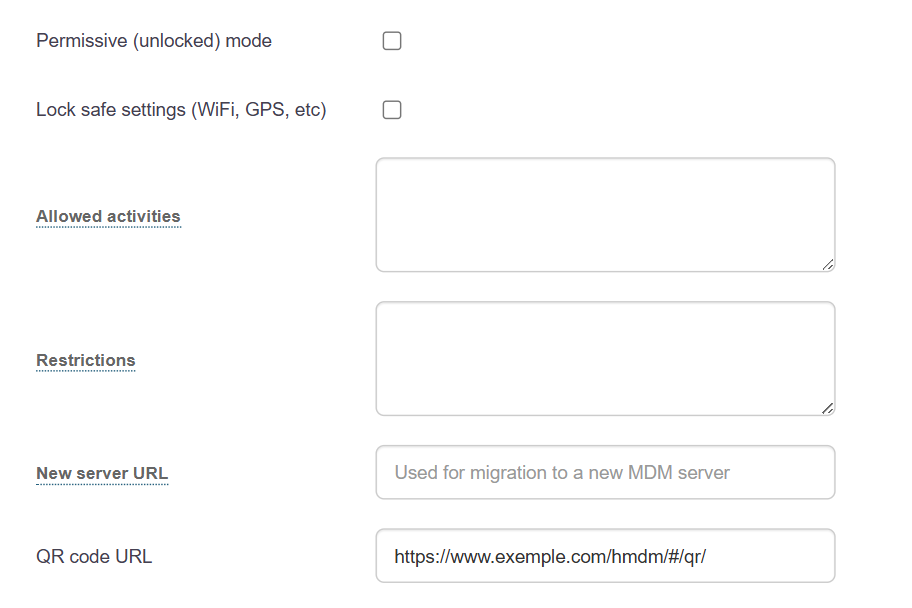
- Permissive mode: If checked, the MDM agent operates without enforcing strict security restrictions. Use only for testing.
- Lock secure settings: Prevents the user from changing Wi-Fi, GPS, and other sensitive system settings.
- Allowed activities: a comma-separated list of Android classes accessible outside of kiosk mode.
- Restrictions: A comma-separated list of MDM restrictions applied to the device (e.g., no_sms, no_outgoing_calls).
- New Server URL: Used to migrate devices to a new MDM server.
- QR code URL: URL automatically generated from the configuration’s QR key. Read-only.