
List of XMPP relays

XMPP relays are communication points between the various machines on your network.
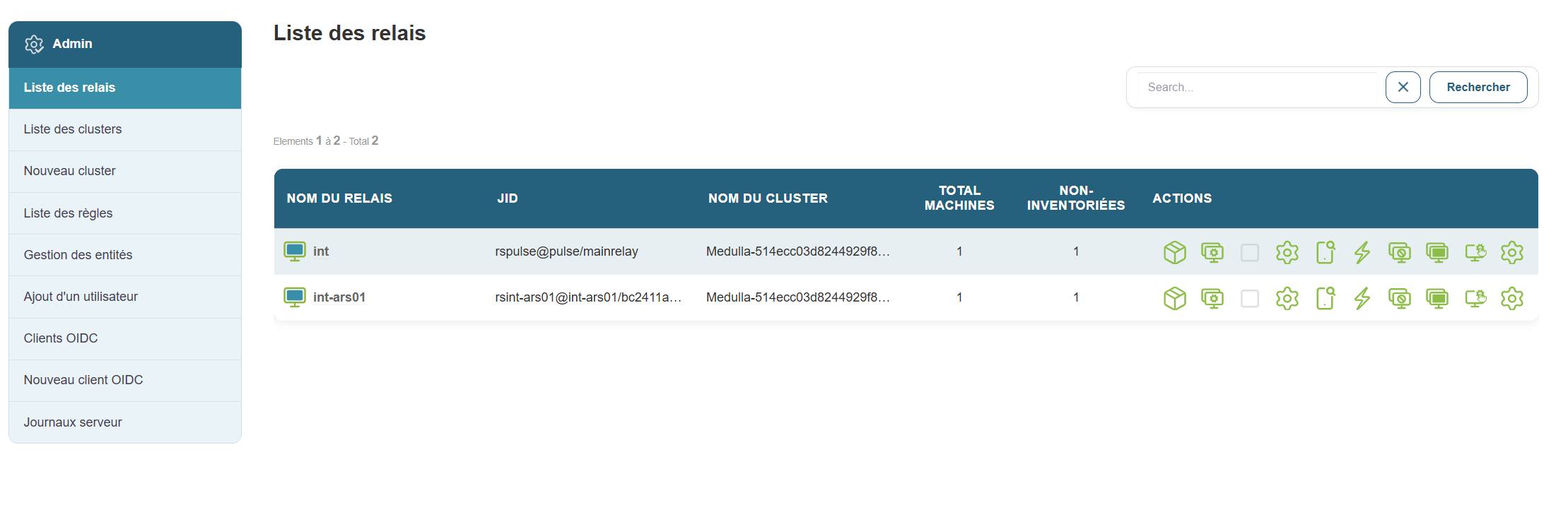
image.png

Why this is useful:

This allows you to see all active connections and understand how machines communicate with each other.

Steps:
  1. In the menu, click “List of Relays”.

  2. A page opens with a list of relays.

  3. For each relay, you’ll see several pieces of information, such as:

    • The name (called JID)

    • The cluster it belongs to

    • The cluster description
    • The number of managed machines:

      • Total number of machines
      • Number of machines not inventoried online
    • Its classes 
    • Its MAC address, also known as the physical address 
    • The relay'sIP address

  4. You also have access to a number of quick actions. 
Tip:

You can search for a relay by typing a keyword into the search bar at the top of the list.