
Packages on the waiting list
This section allows you to view packages that have been created or added but have not yet been sent to the target workstations. It is primarily used to organize, verify, or delete pending actions before they are executed.
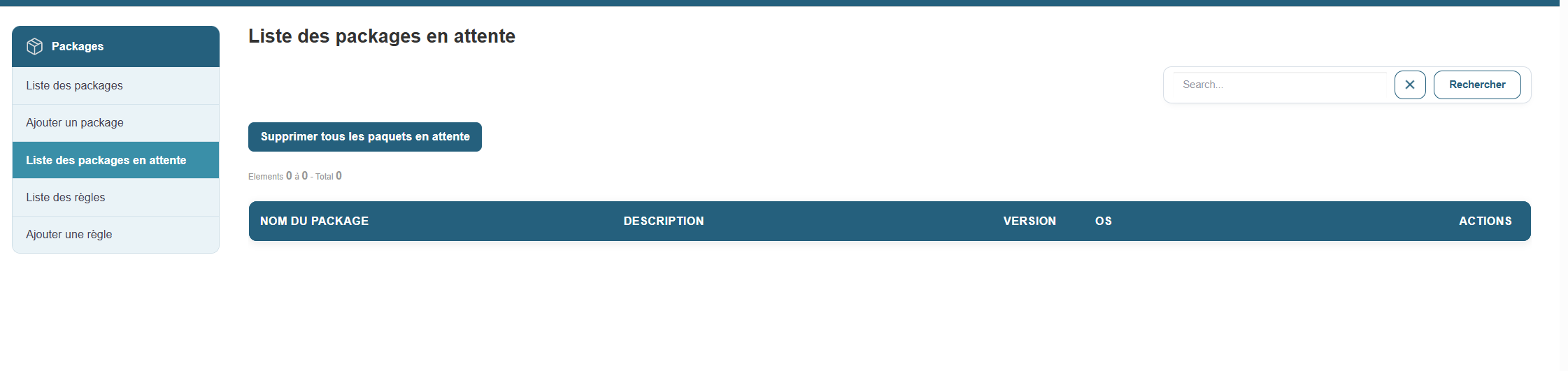
Access:
Section contents:
Once on this page, a list of all packages in the queue is displayed, with the following information for each entry:
-
Package name
-
Description
-
Version
-
Target operating system
-
Available actions (to the right of each row)
Available actions:
-
View mirror status: allows you to check the mirror servers available for the package distribution.
-
Remove pending packages: a button that allows you to remove a specific package from the list.
-
Remove all pending packages: a general button at the top of the page to clear the entire queue if necessary.
-
Search for a package: a search field to filter the list by name or version.
Note: This page does not allow you to directly initiate a deployment, but it helps you monitor items still in the queue. Deployment is typically performed from a separate dedicated section or via an action triggered by a scenario or rule.