
Manage update lists
Medulla’s update management module replaces Microsoft’s WSUS solution.
How it works:
The Medulla server retrieves the list of updates—available based on the criteria defined during server installation or configuration—and offers them to the various workstations managed in Medulla. Each workstation requests the updates it needs from the server; once the server has a complete list of each machine’s requirements, it downloads the relevant updates and makes them available to the clients. Each client workstation will then request the installation of the updates it needs based on the settings in the update lists (Manual Installation, Automatic Installation, or Block Updates).
This operating principle works on a per-entity basis. For each entity, you can manage different lists of updates.
How it works:
In the interface, updates will appear on the “Manage Update Lists” page:
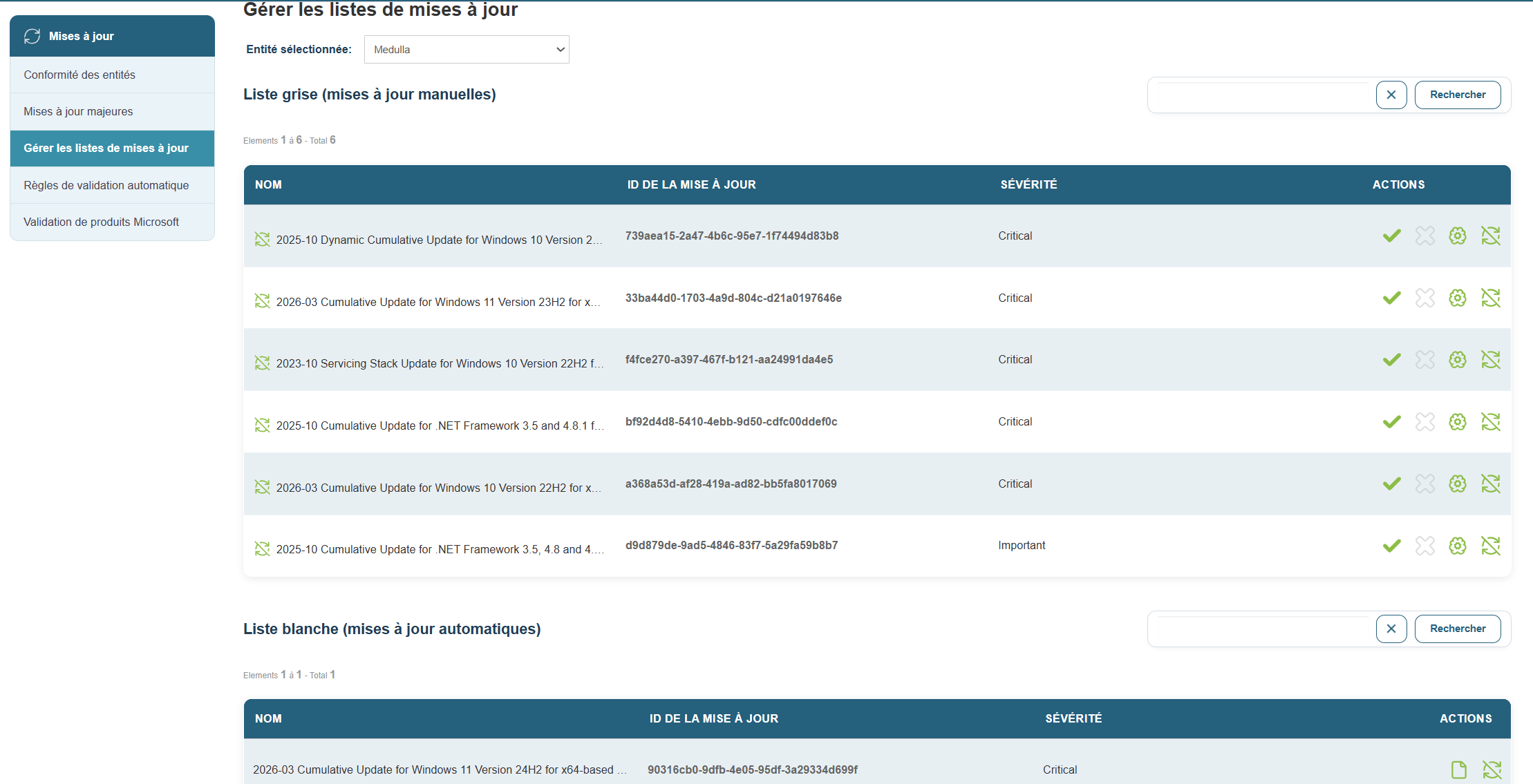
By default, updates are added to the gray list, which corresponds to manual updates.
Several options are available:
 Enable for manual update
 Disable for manual updates
 Approve for automatic updates
 Block the update
If you approve the update for automatic installation, it is added to the whitelist, and all workstations that need this update will then download and install it.
If you click “Block the update,” the update is added to the blacklist and will not be offered to any client workstations.