
Kiosk
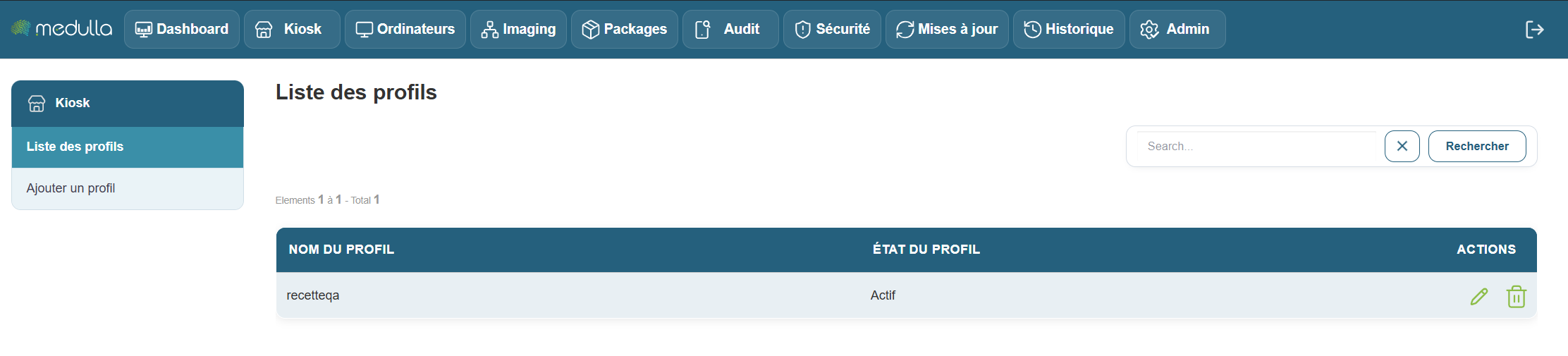
When you arrive at theKiosk interface’s main page, you are immediately directed to the Profile List section, located in the center of the page. This is the first thing you will see when you arrive at this page.
The Profile List Section
This section is located in the center of the screen and displays all user profiles that have already been created. Depending on the number of existing profiles, you will see different information:
Existing Profiles
If profiles have already been created, each profile will appear in a list with information such as:
- Profile Name: The name given to the profile when it was created.
- Profile Status: Indicates whether the profile is Active or Inactive.
- Management options: You can edit or delete a profile if necessary.

No profiles created
Don’t worry—creating a profile is quick and easy. Follow the steps below to add a new profile in Kiosk. We’ll walk through it together, step by step.