
Software Deployment
Once you have created a package in Medulla (doc: Create a package), you can perform deployment on any computer.
Go to the Computers view > Deployment (quick action)  OR, on a computer group, Deployment (quick action).
The list of packages available for deployment is displayed, along with a “  ” button to start the deployment of the package:
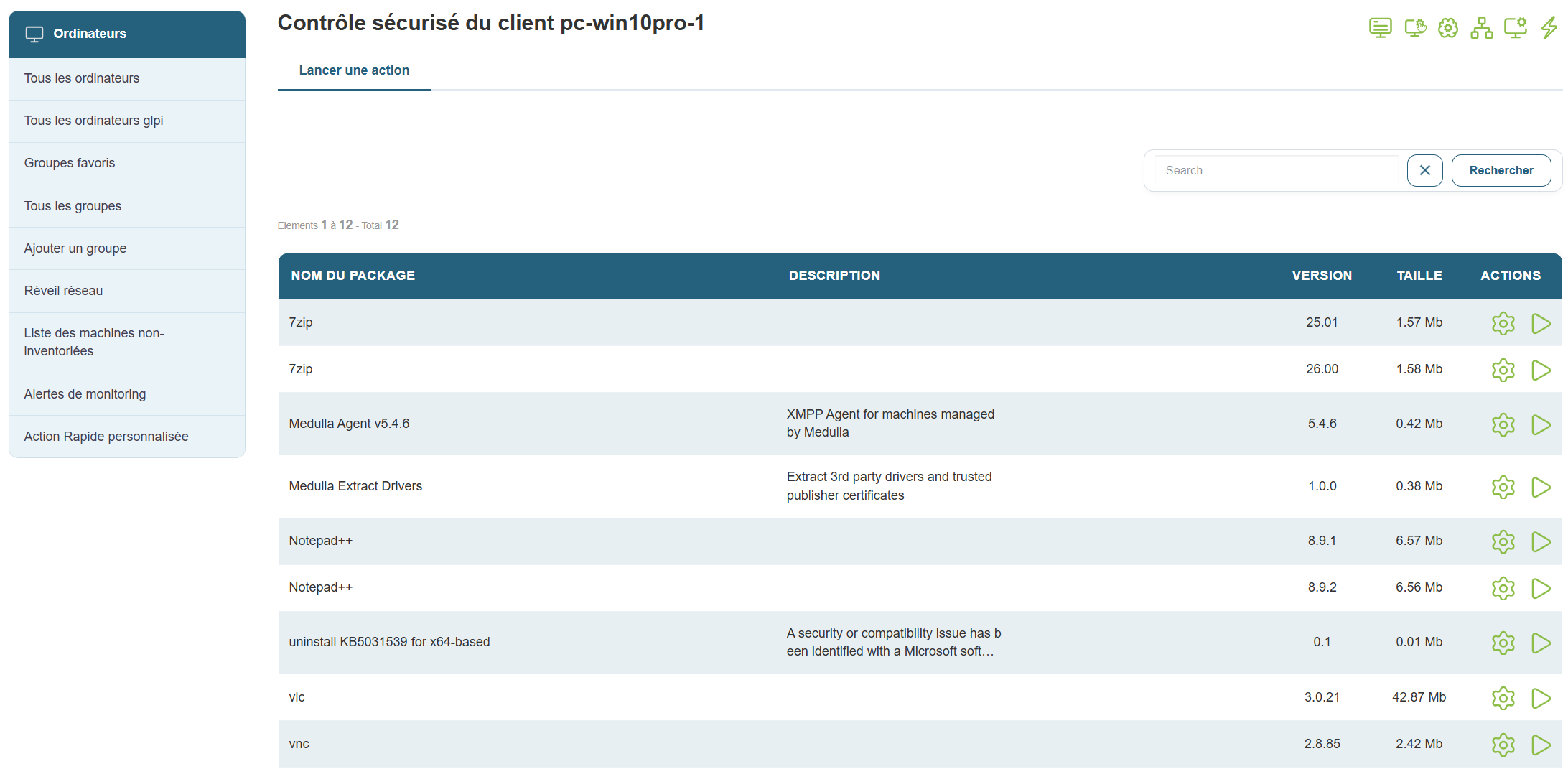
The deployment will start immediately and will be available in the Audit view: Audit
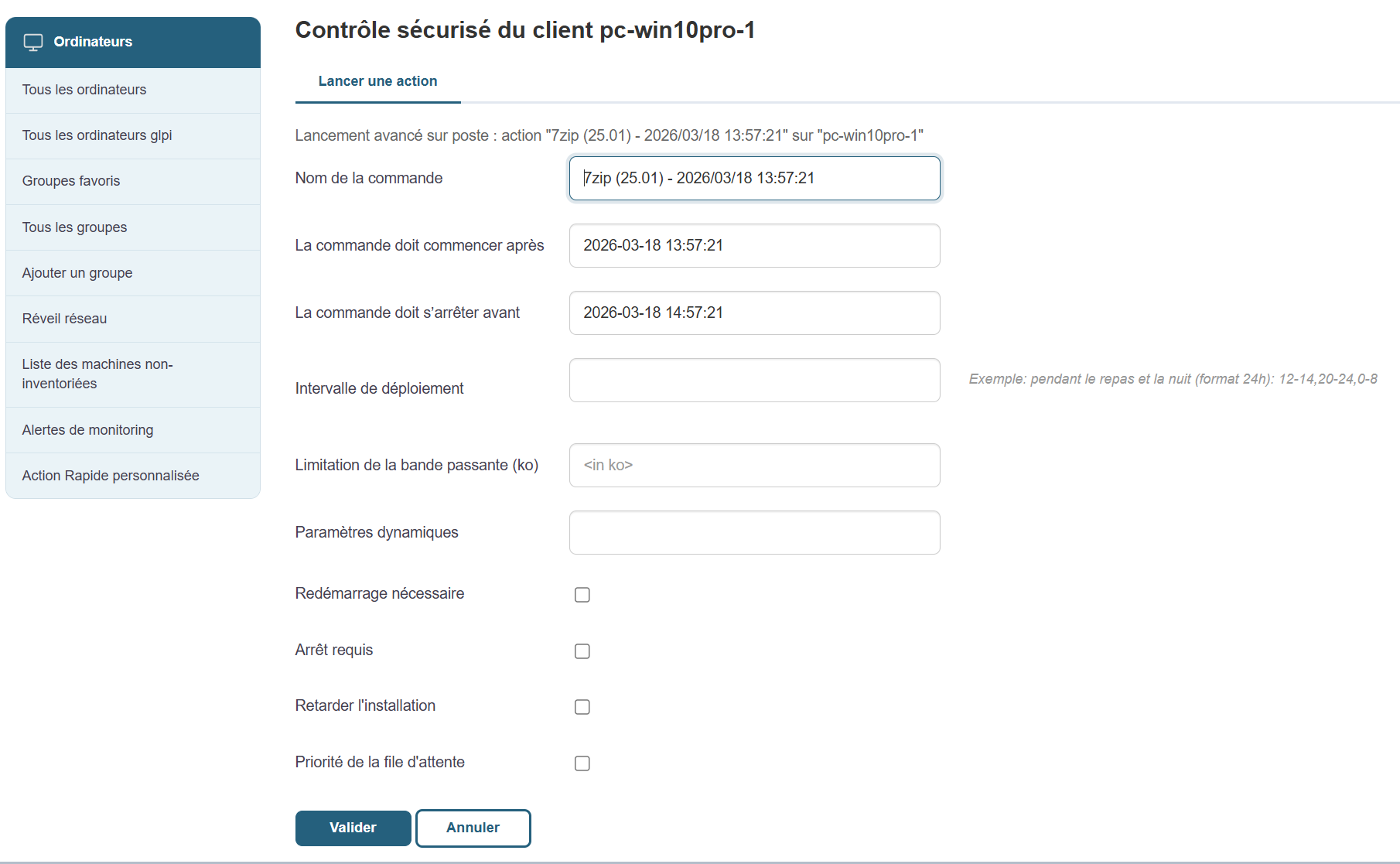
The “  ” button allows you to customize the deployment process:
To initiate a positive convergence, go here: Positive Convergence
To initiate a negative convergence, go here: Negative Convergence