
Post-imaging scripts
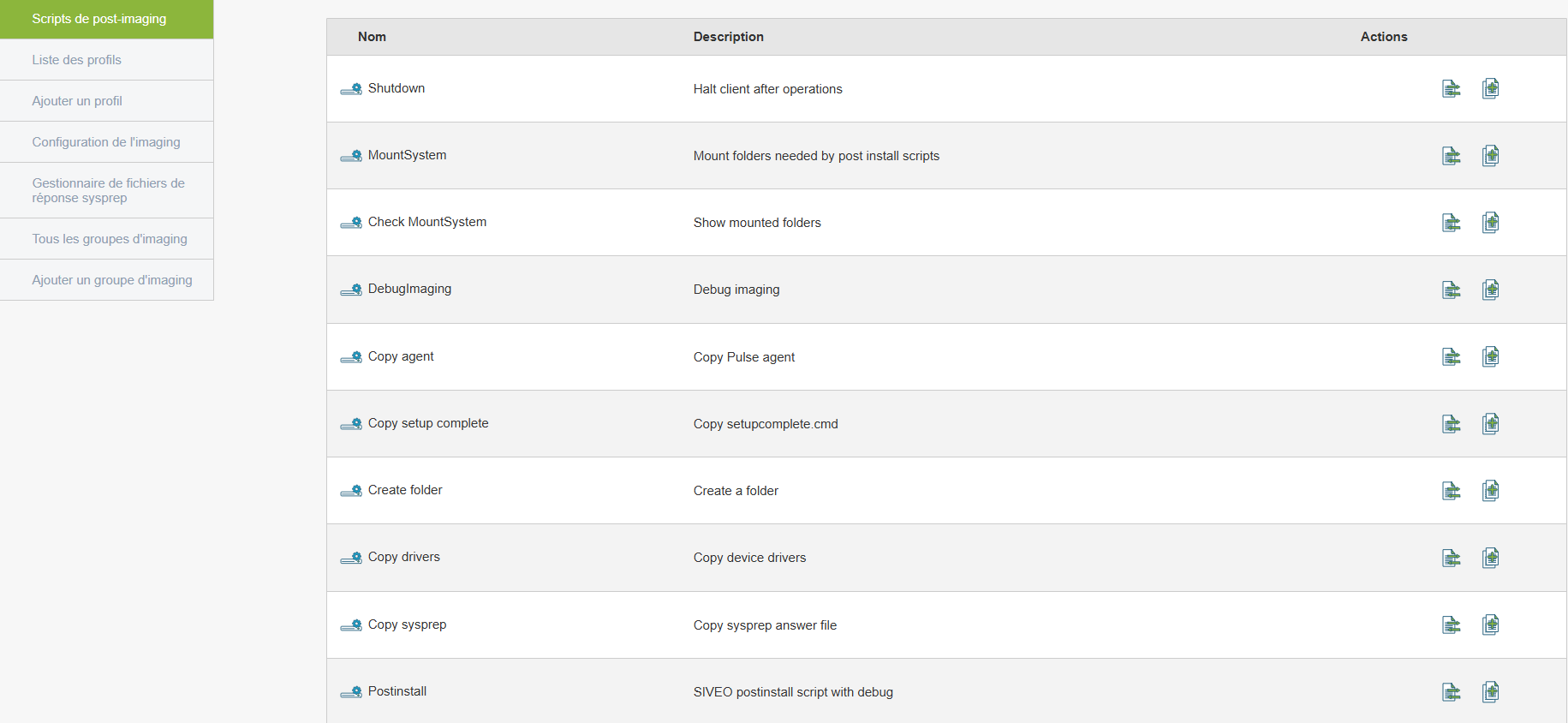
Allows you to automate actions after the deployment of an image (such as installing software or configuring the network).
To create or edit a script
MountSystem
CopySysprep (the name of your Sysprep without parentheses)
CopyRunAtOnce
CopyAgent
CopyDrivers
UseOEMBiosLicense (if you are using Windows OEM licenses)
-
Associate it with a deployment process
Here’s what the post-install script options do:
MountSystem: Copies the master image to the workstation, mounts the partition(s), and detects the mount points for the various operations.
CopySysprep: Retrieves the registered hostname from the PXE server (based on the MAC/hostname pairing), updates the response file with this hostname, and copies it to the Windows image under the generic filename unatended.xml.
CopyRunAtOnce: Copies the setupcomplete.cmd file, which will be executed during the final Windows reboot. This file is primarily used to delete the unatended.xml file, which likely contains a user account with domain join permissions.
CopyAgent: Copies the Medulla-Agent-windows-FULL-latest.exe agent; it is also possible to pass a parameter to select the agent for deployment.
CopyDrivers: Copies the default drivers required for Windows 10.
UseOEMBiosLicence: Copies the license stored in the BIOS and enters it into the post-installation sysprep file.