
Manage Rules
Rules allow you to automate certain actions or network behaviors.
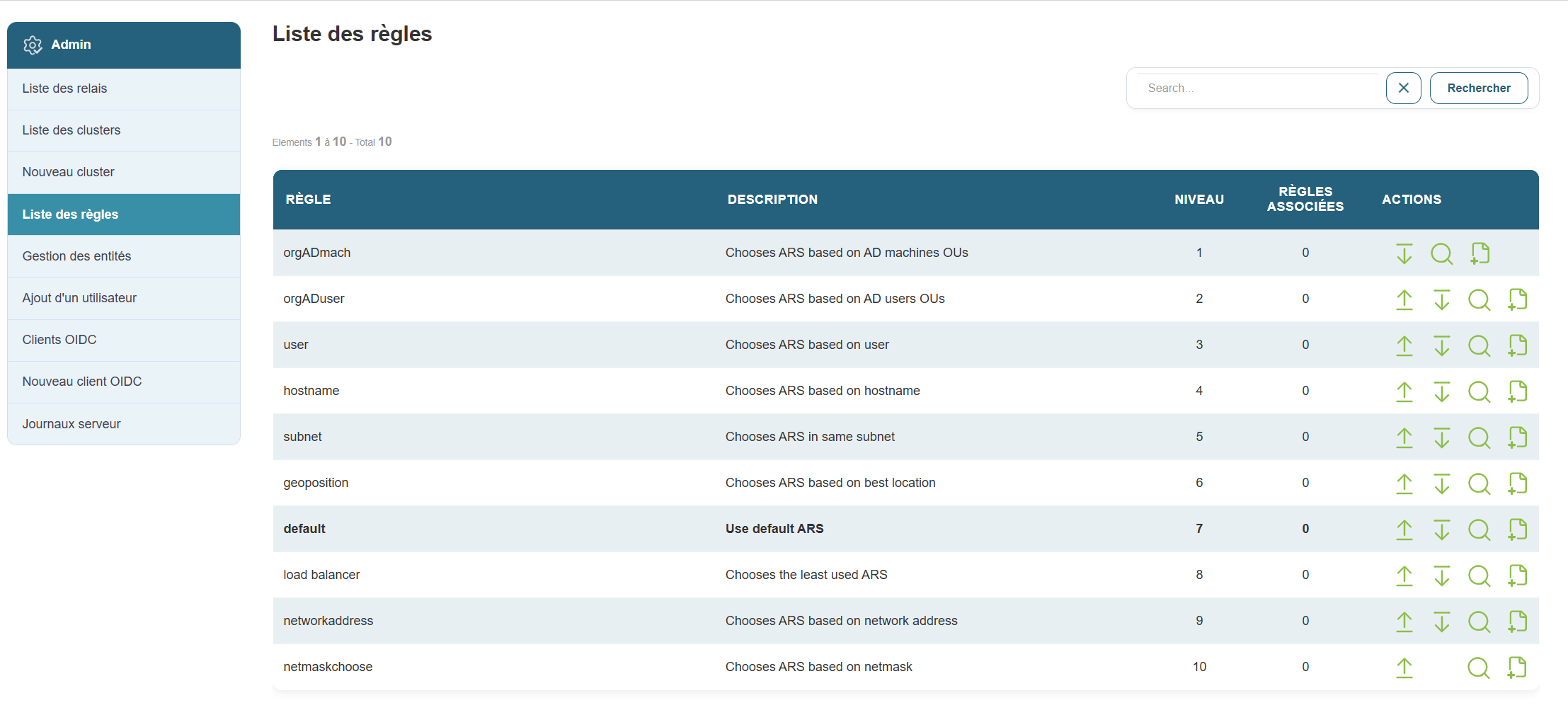
Why this is useful:
For example, this can trigger an automatic check or apply specific settings based on defined conditions.
Steps:
-
Click “Rules” in the menu.
-
On this page, you can:
-
Change the priority order of existing rules by clicking the down arrow to lower it or the up arrow to raise it.


-
Add a new rule as needed

- View the details of a rule

-



When you click the plus icon to add a new rule, the following form appears:
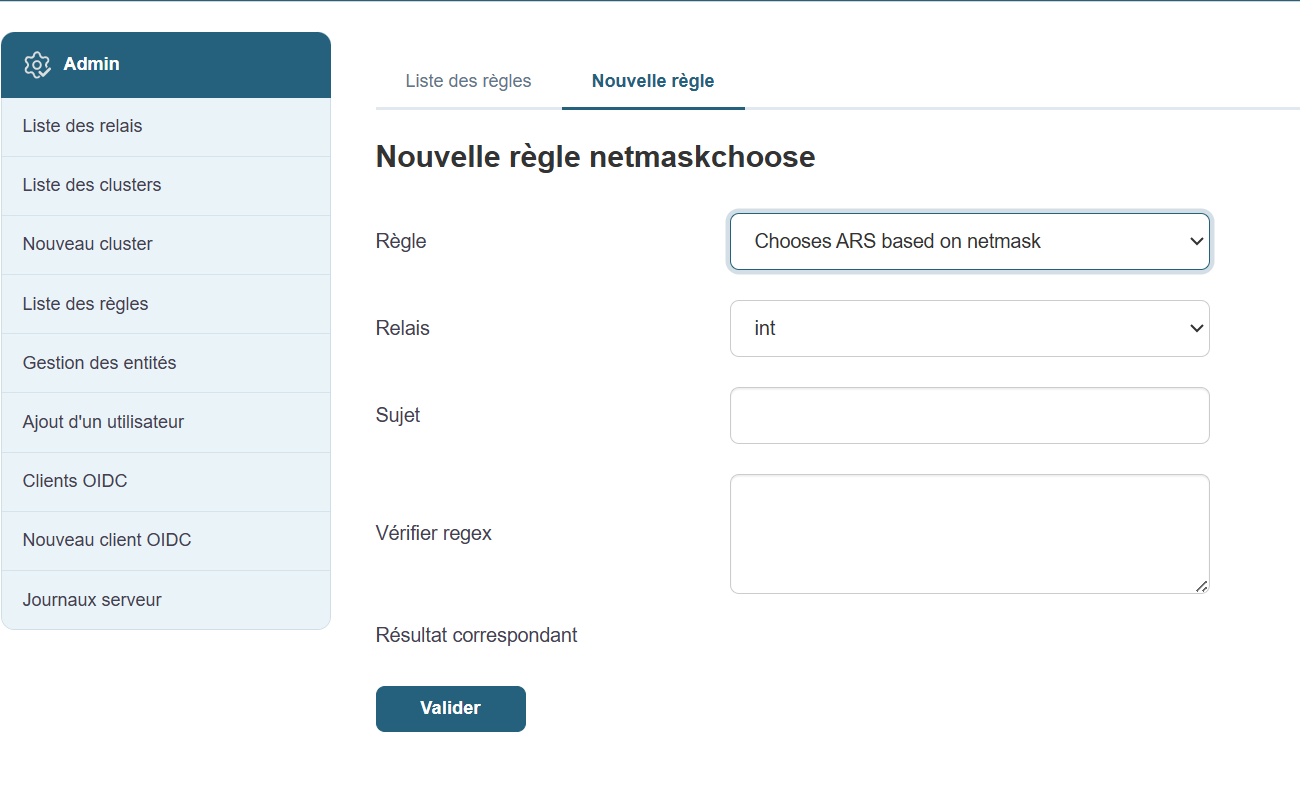
Fill out the fields one by one:
- Select the rule
- Select a relay
- Describe the subject
- Enter the regex to check
- Submit
Even if you’re not technically inclined, you can ask an administrator which rules are recommended for your environment.