Results View by Group
Results View by Group
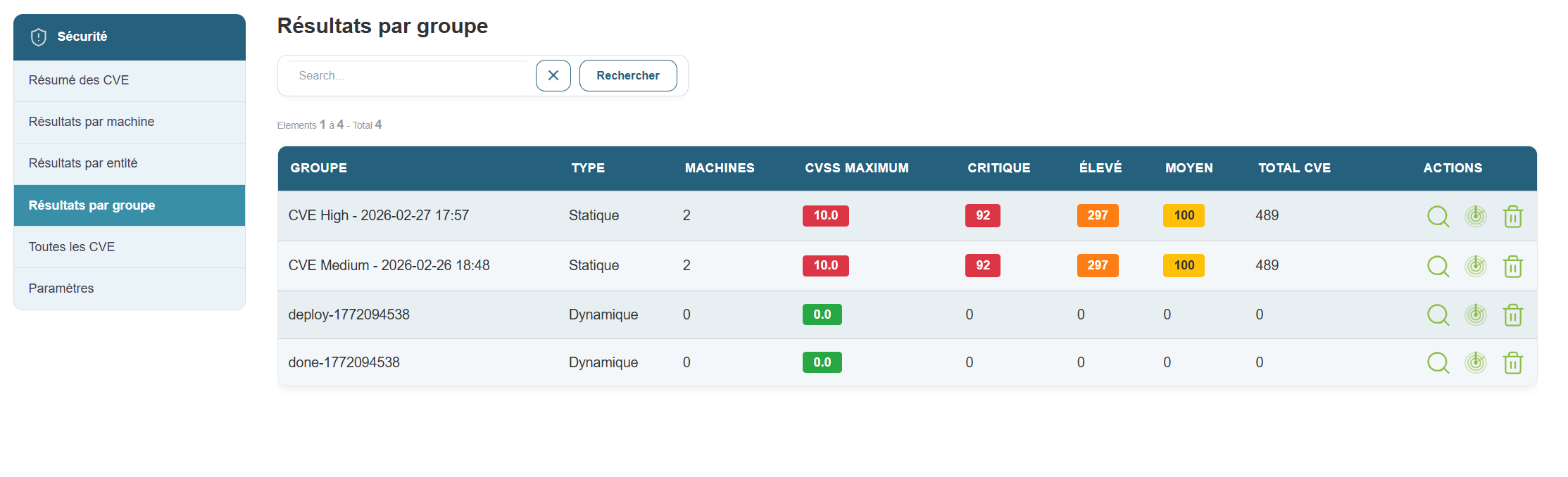
This view displays only the machine group view and includes the following information:
- Group Name
- Group type
- Number of machines per group
- CVSS score
- Number of critical CVEs
- Number of high-severity CVEs
- Number of medium-severity CVEs
- Number of low-severity CVEs
- Total CVEs per group
- The two actions: view details and start a scan on a group.
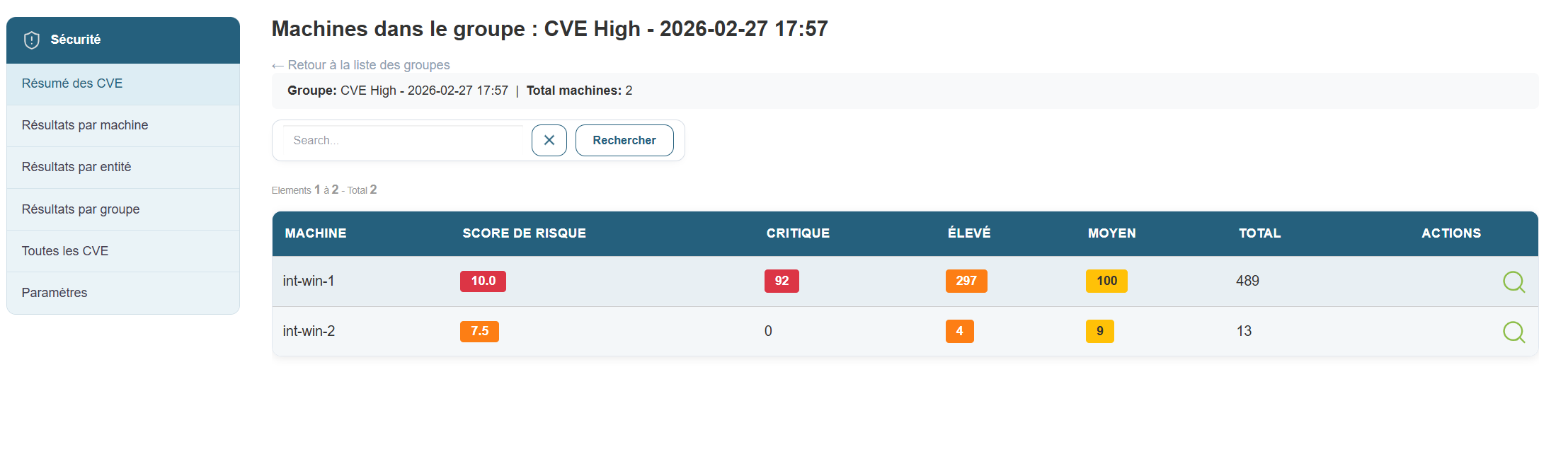
When you click the "Details by Group" button, you’ll see the details view by machine, showing only the machines in that group.