
Managing Entities in Medulla
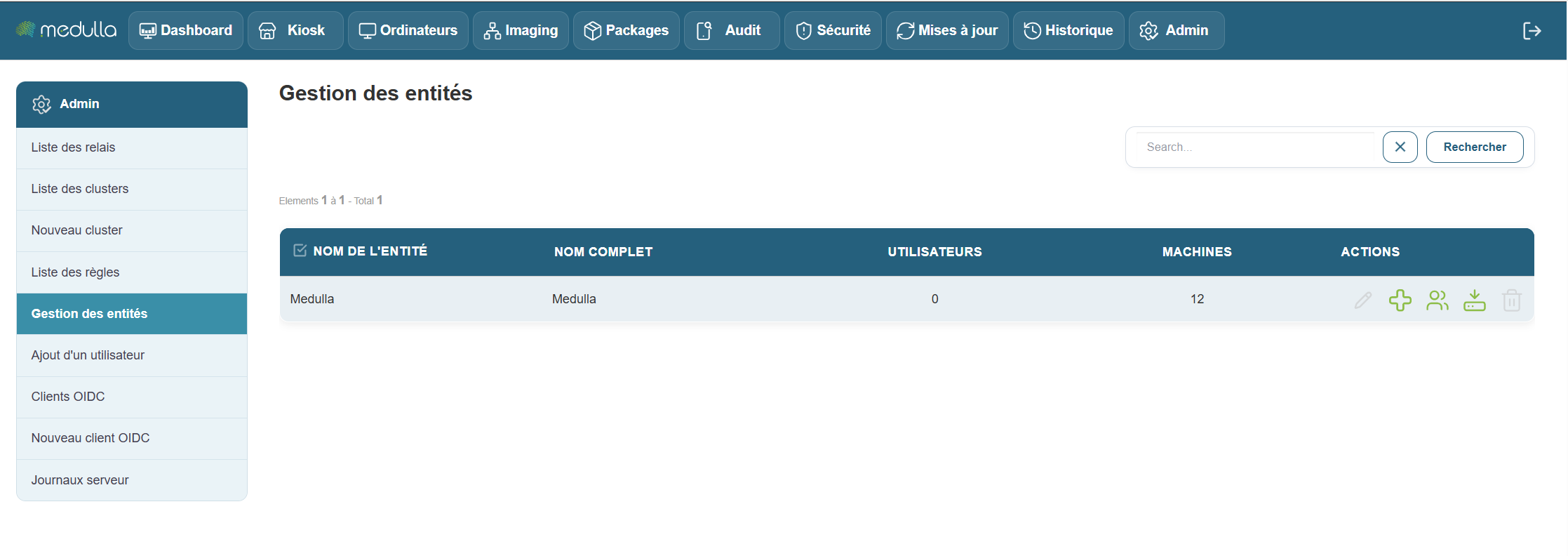
This section guides you through managing entities within Medulla. You will learn how to view existing entities, add new ones, assign users to them, and download tagger agents directly based on the entities.
Entities in the Medulla module are provisioned directly in the GLPI or ITSMNG backend.
The Entity List Section
Located in the center of the screen, this section displays all entities registered in your Medulla environment.

Root Entities.
By default, a root entity is created in Medulla. This root entity can contain child entities and users—both within the root entity itself and within the child entities.
The following information is displayed for each entity:
-
Entity Name: the unique name of the entity.
-
FullName: the full name of the entity.
-
Number of users associated with this entity.
-
Number of machines: attached to this entity.
-
Actions: options toadd an entity, assign a user to the entity , and download the agent directly associated with the entity for inventory purposes.
Add a Sub-Entity
To create a sub-entity, click the button  on the parent entity’s row, then give it a name and click the “Create Entity” button.
No users registered
If no users have been added yet, the users section will show a count of 0, as shown in the screenshot above.
Medulla Agent
By default (on-premise or standard configuration), we provide a global agent for Medulla; entity management per workstation is handled via GLPI.
However, if you wish to , it is also possible to . This option , but if it meets your needs.
If you choose to have one agent per entity as explained in this post, you’ll find the “Download an agent” buttons in an entity’s actions.
. Select the Windows or Linux agent, then click “Confirm” to download the relevant agent.
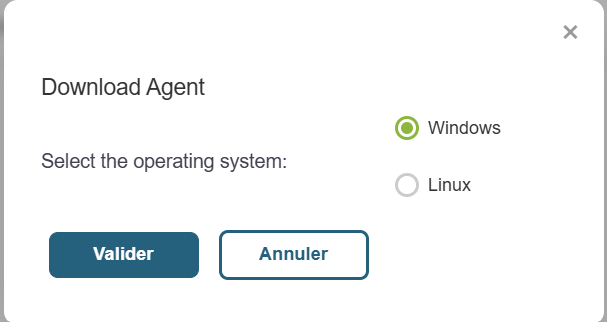
This will directly link the workstation to the entity configured in the downloaded agent.