
Files - Configuration
The configuration edit form is organized into six tabs:

This page describes the sixth tab, Files, which allows you to specify which files managed by the MDM server should be pushed, excluded, or deleted on devices belonging to this configuration.
List of Files
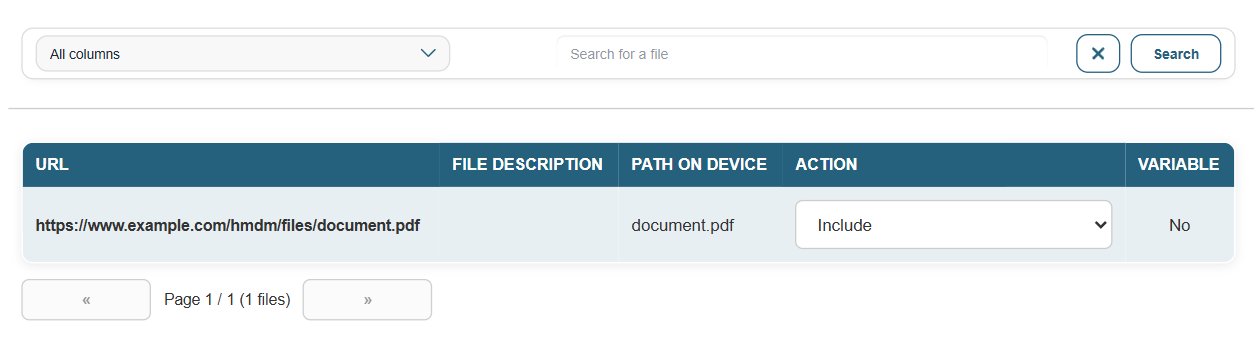
Each row corresponds to a file available on the MDM server. The displayed columns are: the file’s URL, description, destination path on the device, action to be applied, and whether variable substitution is enabled.
A search bar allows you to filter entries by column: all columns, URL/Name, description, or path on the device.
Action per File
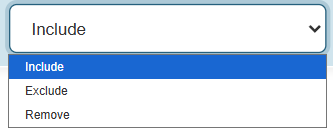
For each file, a drop-down menu in the Action column allows you to choose the behavior applied to devices in the configuration:
- Include: The file is pushed to the device.
- Exclude: The file is not managed by this configuration.
- Delete: The file is deleted from the device if it is present.
Variable substitution
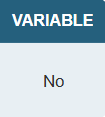
The Variable column indicates whether variable substitution is enabled for this file. When enabled, device variables (such as the device ID) are dynamically replaced in the file’s content before it is pushed.