
Receiving alerts by email
An alert visible in the console assumes that someone is looking at the console. Notifications do the opposite: they go and find the person concerned.
The setup is done in two steps, under Settings: first a channel, which says by what means messages are sent; then a rule, which says what to send and to whom.
Creating a channel
The Channels tab lists the existing channels. As long as none is created, no notification can be sent.
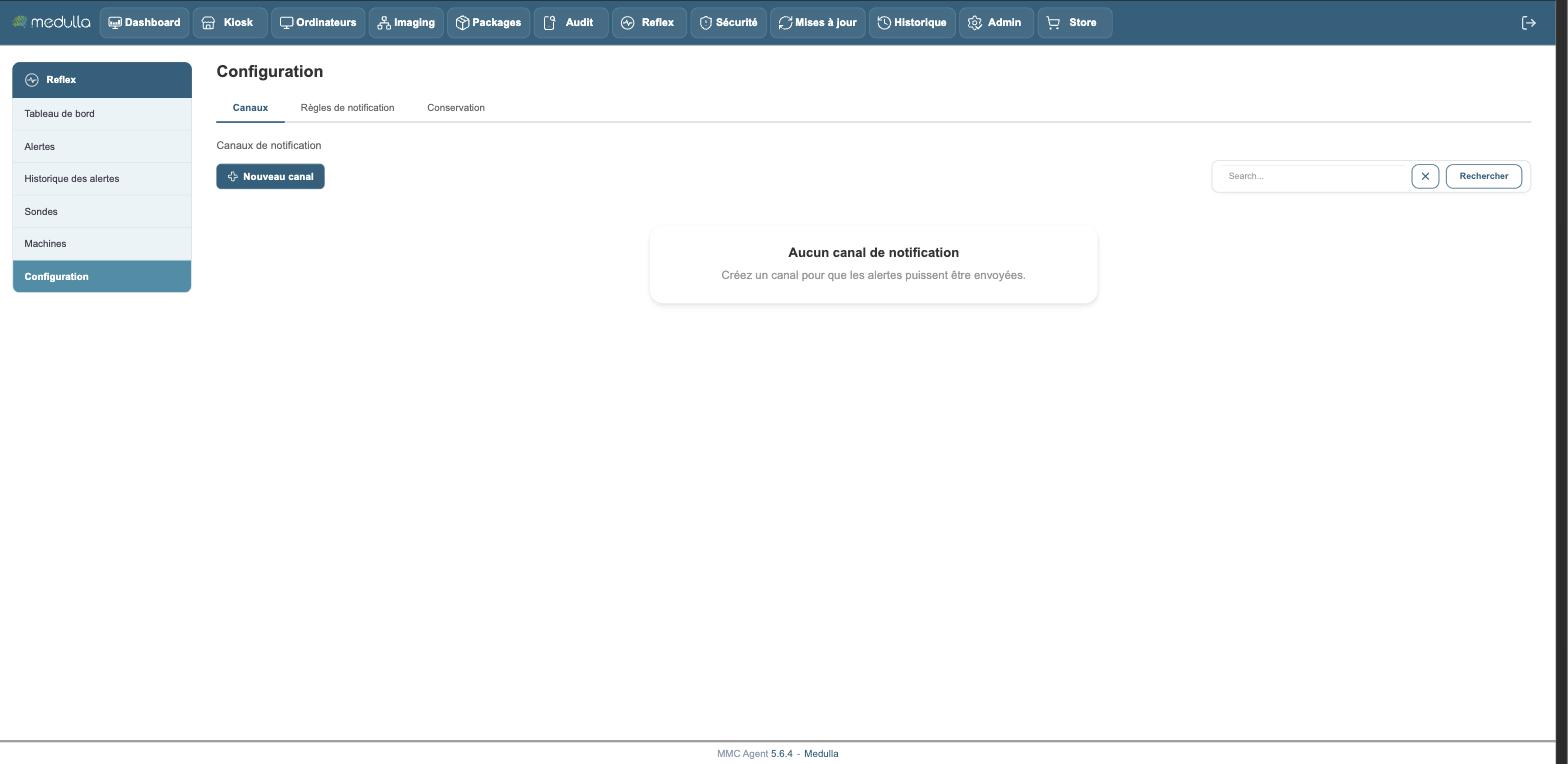
The New channel button asks for:
- a name, to find it again
- the entity it belongs to
- the type — only email is shipped in this version, the other types are planned
- the sender address, the SMTP server and its port
A channel belongs to an entity and can only be used by it.
Creating a notification rule
The Notification rules tab defines what is sent, and to whom.
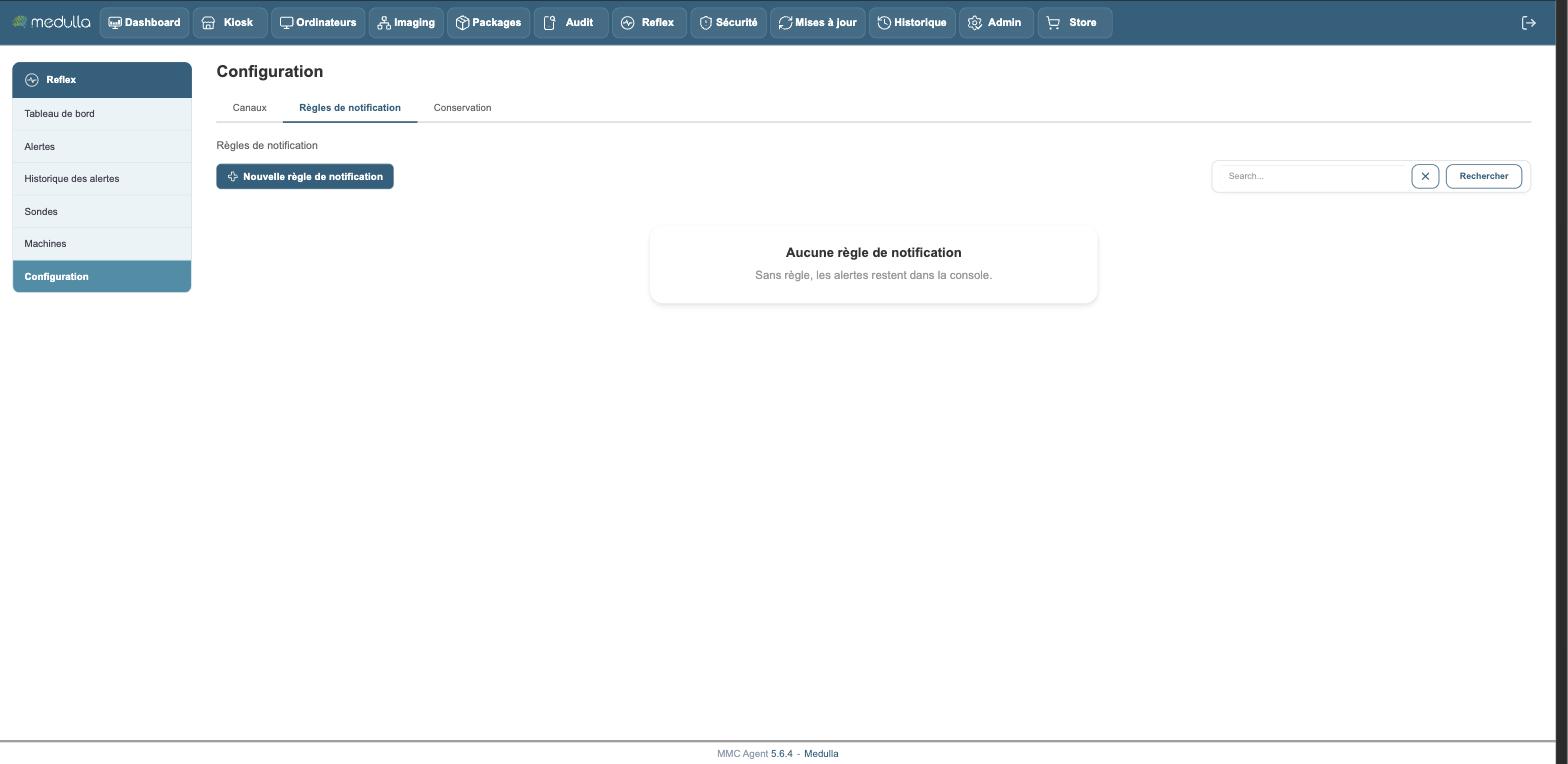
The New notification rule button asks for:
Channel — the one that will carry the messages.
Minimum severity — the threshold from which a message is written. A rule set to "high" ignores medium and info alerts.
Probe — all probes, or a single one. One rule per probe lets you send backup alerts to the backup team.
Target restriction — optional: limits the rule to the machines of a group or of an entity.
Recipients — one address per line.
Sending rhythm — two settings that avoid flooding a mailbox:
- the cooldown, in minutes, before the same alert is sent again through this channel;
- the escalation, in minutes: a second message if a critical alert is still not acknowledged. Leave the field empty for no escalation.
Testing a channel
A badly configured channel only gets noticed when an important alert is not sent. The Test channel action of a channel sends a test message to the address you give, and shows the exact error if sending fails.
Do it when you create the channel, and do it again after any change to the SMTP server.
Deleting a channel or a rule
Both are deleted from their respective tab.
Deleting a channel does not delete the rules that used it: check that no rule still points to it, otherwise it will stop sending without saying so.
What the recipient receives
The test message
Subject: Medulla Reflex - Test message.
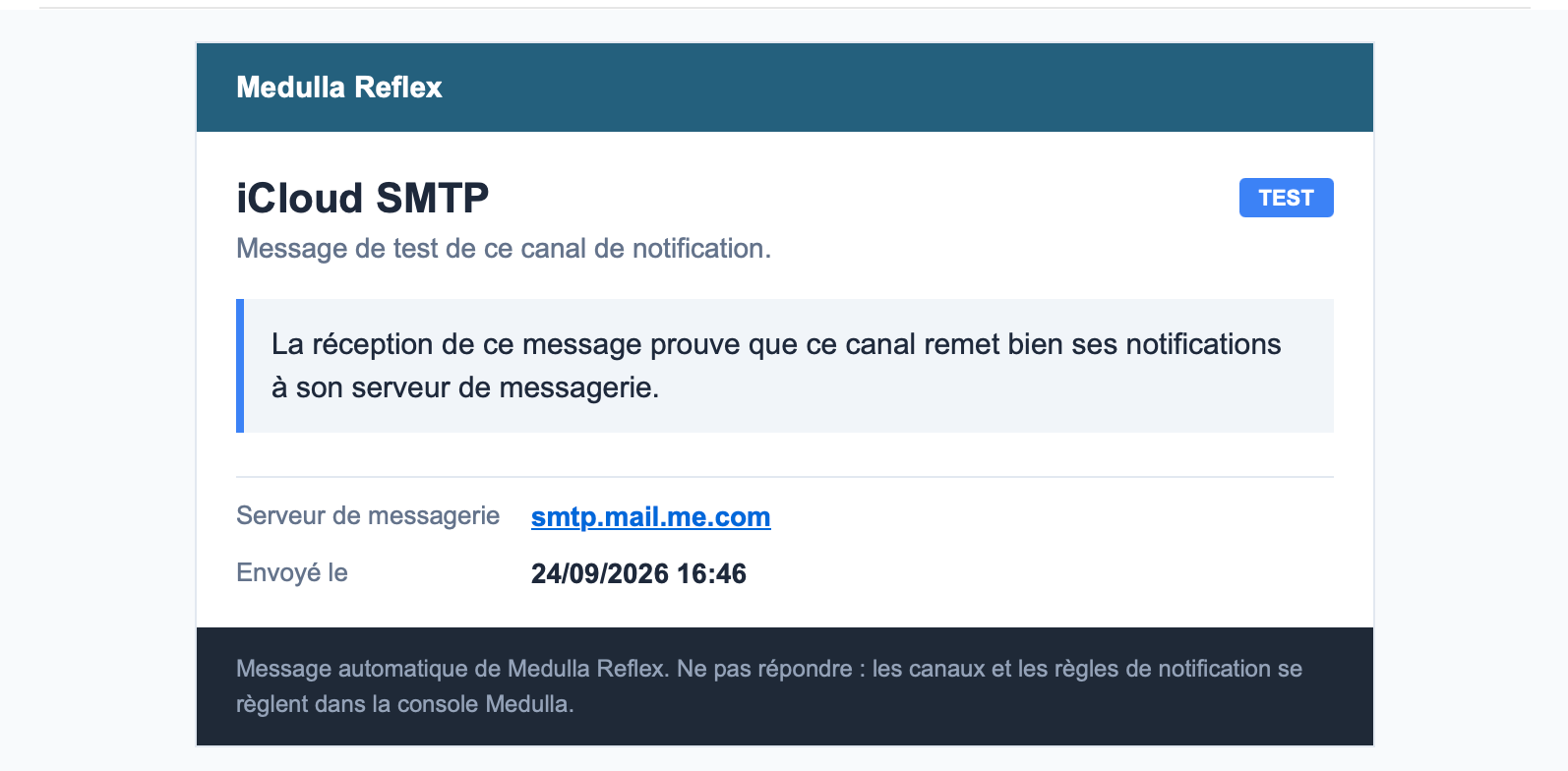
It carries the name of the channel as its title and the mail server used. When several channels coexist, this is what lets you know which one has just answered without opening the console.
An alert
Subject: Medulla Reflex - Alert.
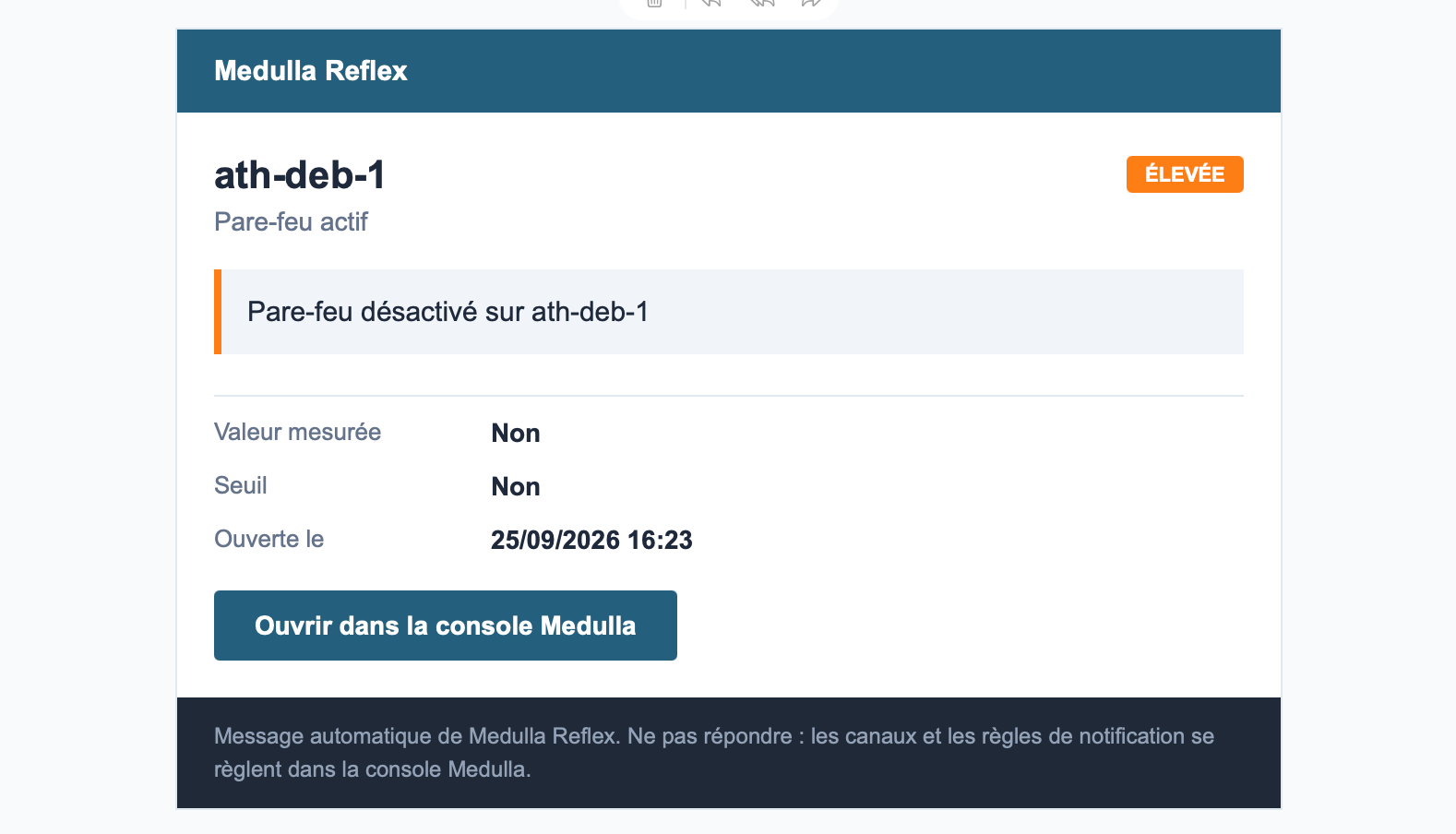
The message is made to stand on its own:
- the machine concerned as its title, and the probe below
- the severity level as a pill, in the color used by the console
- the alert message of the condition, as you wrote it — hence the importance of writing it for someone who discovers it at three in the morning
- the measured value and the threshold crossed, side by side
- the opening date
- a button that opens the alert directly in the console
Someone on call can therefore assess the situation from their mailbox, and only log in if they decide to act.
Both messages are sent from an address that does not accept replies, and their footer says so: channels and rules are set up in the console.
The language of the emails
The message is sent in the language of the person who assigned the probe, with the same texts as those shown in the console. You have nothing to set up.