
Settings
The Settings screen sets, entity by entity, when Medulla acts on its own.
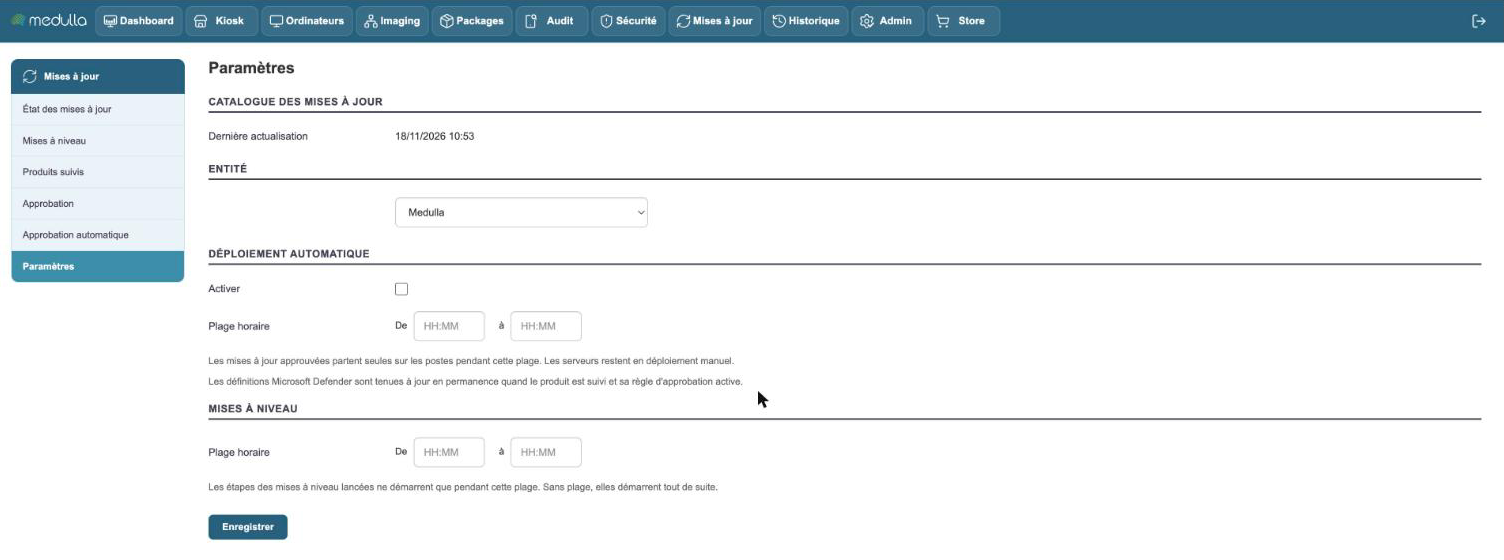
Updates catalog
The first line gives the date of the last update of the catalog. Medulla refreshes it every hour by default.
If the refresh fails, the cause is displayed here. Medulla keeps working with what it already knows, and catches up at the next refresh.
Automatic deployment
By default, an approved update waits for you to deploy it. Check Enable to have Medulla take care of it.
The time range sets when: approved updates go out on their own to the workstations during this range. A workstation that is switched off at that time receives its own when it comes back, within 24 hours. A night range avoids disturbing users; a daytime range reaches the workstations that are switched off in the evening.
A few rules to know:
- Only workstations are concerned. Servers always stay in manual deployment.
- A new approval is taken into account in about ten minutes.
- A Windows workstation that has a reboot pending receives nothing more until it has restarted.
- Medulla only tries once per workstation: after a failure, it is up to you to deploy again.
Microsoft Defender: the antivirus definitions follow neither this checkbox nor this range. They are kept up to date permanently as soon as the product is tracked and its approval rule is active.
Upgrades
A version upgrade runs in several steps, separated by restarts. The time range of this section sets when these steps are allowed to start.
With no range, a launched upgrade starts right away. With a range, you can launch it during the day: it will wait for the set time.
Setting by entity
The Entity selector chooses the entity you are setting. A sub-entity applies the settings of the entity it depends on, as long as it does not have its own. The Use the setting of… link returns it to inheritance.